
AI Furniture Staging
for Real Estate Listings
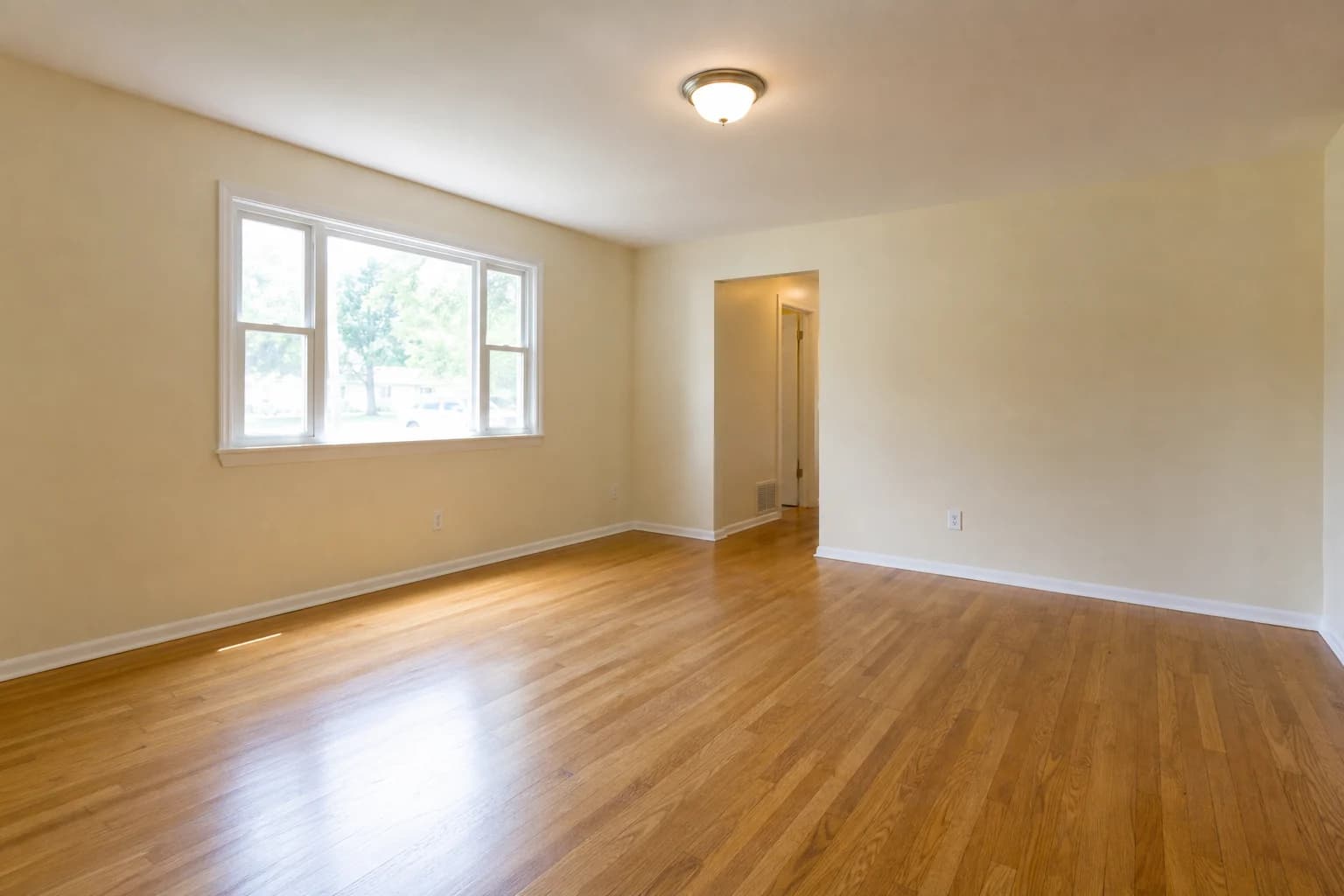
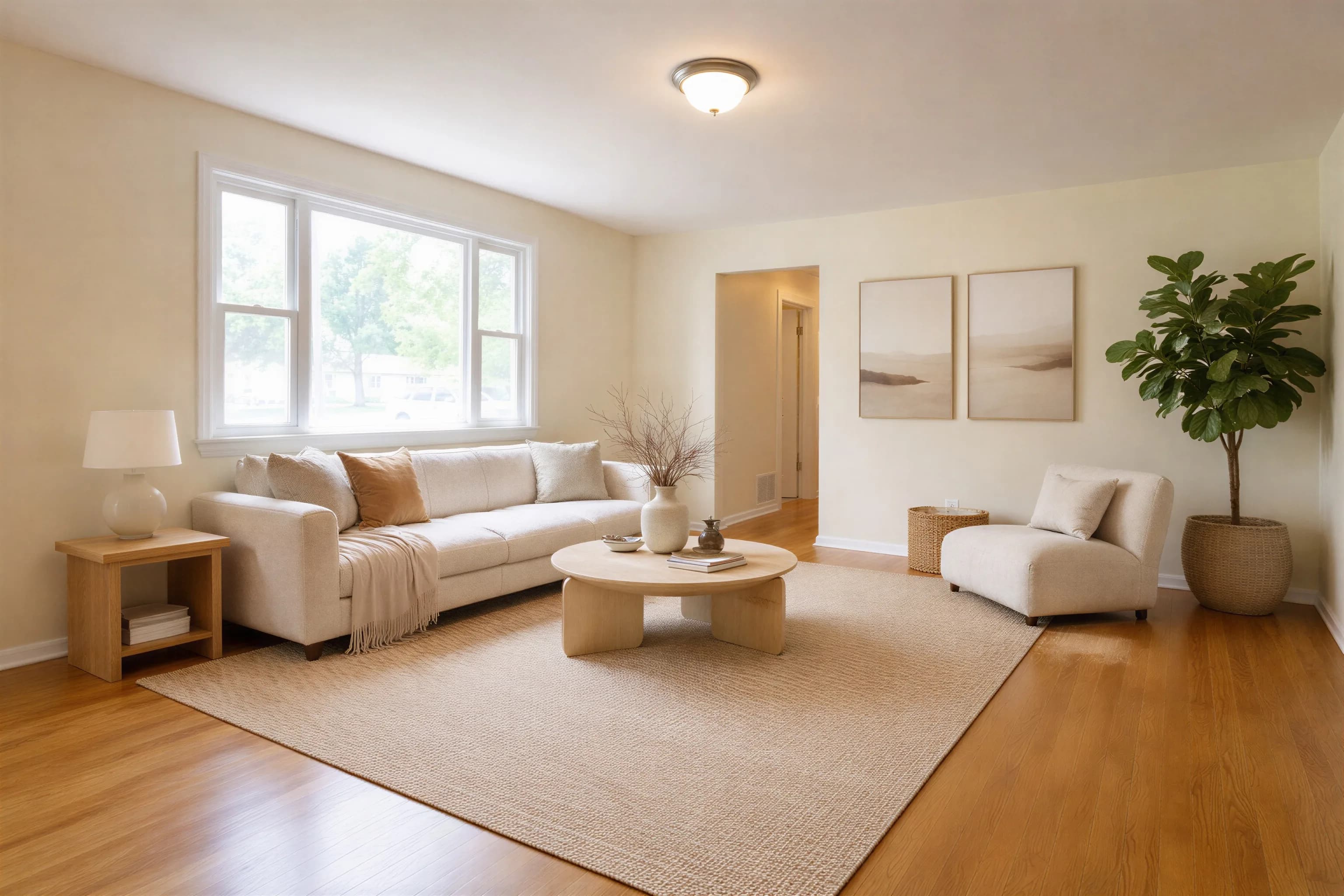
Upload an empty-room photo, select a staging direction, generate a concept, and compare it with the source before use. Plans start at $9.90 per month for 50 generations, with 10 starter credits for new accounts.
Start With the Right Virtual Staging Guide
Stage an Empty Room
Photo setup and a practical vacant-listing workflow
See How It Works
The process from source photo to reviewed, disclosed edit
Compare Before & After
Review a source, first output, and approval checklist
Inspect the Open Quality Test
Eight first outputs, failures, timing, hashes, CSV and JSON
For Real Estate Agents
Disclosure, listing workflow, and agent use cases
Explore the Software
Features, supported styles, pricing, and limitations
Install the Chrome Extension
Stage listing photos from your browser
See the Transformation
Generate a sample, compare it with the source, and keep only an accurate result.
All Design Styles
Modern
Clean lines, minimalist furniture, neutral colors
Contemporary
Current trends, bold accents, open spaces
Traditional
Classic elegance, warm colors, timeless appeal
Farmhouse
Rustic charm, shiplap, barn doors, cozy feel
Coastal
Beach vibes, light colors, nautical accents
Scandinavian
Minimalist, functional, light wood, hygge
Industrial
Exposed brick, metal, concrete, urban loft
Mid-Century Modern
1950s-60s style, iconic furniture, retro
Bohemian
Eclectic, colorful, global influences, relaxed
Minimalist
Less is more, clean, uncluttered, simple
Luxury
High-end finishes, designer furniture, upscale
Transitional
Blend of traditional and contemporary
How AI furniture staging works
A responsible workflow has five steps. Generation time varies, and full-size comparison, regeneration, disclosure, and export are separate parts of the job.
- 1
Upload the photo
Any JPEG, PNG, HEIC, or WebP file up to 25 MB. Phone shots work — no DSLR required.
- 2
AI infers the room
The model estimates walls, floors, windows, lighting direction, and existing furniture from the image.
- 3
Pick a mode
Choose one of four staging aesthetics or another processing mode that matches the edit you intend to make.
- 4
Review the generated layout
Check furniture scale, walking paths, shadows, reflections, edges, and every permanent feature against the source.
- 5
Disclose and export
Reject material errors, add the required label, and verify the destination's current file, caption, and photo-order rules.
Compare the workflow, not only the headline price
Published offers were checked on August 2, 2026. AI subscriptions, human per-image services, and physical staging include different work, so a direct unit-price ranking is incomplete.
| Metric | Agent Lens | Virtual Staging AI | Human service examples | Physical stager |
|---|---|---|---|---|
| Published entry price | $9.90/mo for 50 | $16/mo annual for 6 | $16–$35/image in checked examples | $1,500 median service spend |
| Turnaround | 67–116 sec observed* | 10 sec claimed | 24–48h claimed | Quoted and scheduled |
| Who approves the result | Customer | Customer | Provider and customer | Customer in the property |
| Regeneration or revisions | A new generation uses a credit | Unlimited renders advertised | Terms vary by provider | Changes depend on contract |
| Source comparison | Required before export | Customer responsibility | Still required | Photo edit not applicable |
| Disclosure support | Optional visible label | Check live product | Varies by provider | Not applicable to physical furniture |
| Delivery channel | Web app + Chrome extension | Web app | Provider dashboard | On-site setup |
Verify live terms before purchase. Sources: Agent Lens pricing, Virtual Staging AI pricing, Styldod, Stuccco, and NAR's 2025 Profile of Home Staging. *Agent Lens timing comes from the open eight-case test; other times are provider claims.
Who uses AI furniture staging
Each role uses the same tool differently. These are practical workflows to adapt to the property, listing channel, and review policy.
Real estate agents
Stage vacant-listing photos before the MLS upload. NAR’s 2025 survey found that 83% of buyers’ agents said staging helped buyers visualize a property; that figure covers staging overall, not virtual staging alone.
Property developers
Illustrate a possible finished layout before construction completes. Label concepts clearly and distinguish an architect's render from a photograph of an existing unit.
Interior designers
Generate rough visual directions for discussion, then validate dimensions, materials, clearances, and product availability outside the image model.
Real estate photographers
Offer virtual staging as an optional add-on to a photo package. Price it around review time, revisions, and disclosure work rather than treating the AI generation cost as the whole service.
Short-term rental hosts
Visualize a refresh before committing to a furniture overhaul. Useful for testing themed-room concepts (coastal, Japandi, mid-century) against existing photos before spending on the real makeover.
Commercial real estate
Illustrate a possible office or retail layout while making clear that the furniture, code compliance, capacity, and measured dimensions are not part of the source property photo.
Learn More About Virtual Staging
Guides, comparisons, and resources to help you get the most from AI virtual staging.
How Virtual Staging Works
Step-by-step tutorial
AI Virtual Staging
How the AI technology works
Virtual Staging Software
Features and pricing overview
Before & After Guide
A source/output pair and review checklist
Virtual vs Real Staging
Cost and ROI comparison
For Real Estate Agents
Agent workflow, output review, and disclosure checks
Empty Room Virtual Staging
AI staging for empty rooms in vacant homes
Open Quality Test
All eight first outputs and downloadable data
Pricing Guide
Compare costs across all tools
Is Virtual Staging Worth It?
Costs, evidence, and limits of outcome claims
Chrome Extension
Install and feature guide
Product Methodology
How generation, review, and disclosure fit together
Ready to Transform Your Listings?
Start staging your properties today. First 10 credits are free.
Virtual Staging FAQ
How much does AI furniture staging cost per photo?+
Agent Lens runs at $0.10 per generated image with the first 10 credits free. For reference: AIHomeDesign lists $0.24/photo, VirtualStagingAI prices around $2.66 per image ($16 per 6-image bundle), ApplyDesign charges $10.50 per AI render, and a physical stager averages $250–$500 per staged room. The price gap exists because AI generates pixels, not freight-shipped furniture.
How long does AI furniture staging take?+
Most single-photo jobs finish in under 60 seconds end-to-end (upload, AI render, download). A 20-photo batch usually clears in 5-10 minutes total. The bottleneck is rarely the model — it's the time it takes to upload high-resolution images to our servers.
Can I use AI virtual staging in an MLS listing?+
Rules vary by MLS, platform, brokerage, and jurisdiction. Agent Lens can add a visible disclosure label, but that feature does not determine legal compliance. Keep the original image, do not conceal defects or change permanent property features, disclose the edit clearly, and verify the current wording and photo-order rules before publishing.
Can the AI remove existing furniture before adding new staging?+
Yes. The Virtual Declutter mode digitally removes existing furniture, then a second pass re-stages the empty room in your chosen style. This is the most-used workflow for occupied listings where current decor clashes with the target buyer profile.
What file formats and resolutions are supported?+
Upload JPEG, PNG, HEIC (iPhone photos), or WebP at any resolution up to 25 MB per file. Output is delivered as JPEG by default, sized to the original dimensions — so a 4032×3024 phone photo comes back at the same size, ready for MLS upload (most MLS systems cap at 4 MB / 3000px wide).
How many room and style combinations are available?+
Agent Lens covers 9 room types (living room, primary bedroom, bedroom, kitchen, dining room, home office, basement, bathroom, outdoor) across 11 processing styles in 4 categories: default (Classic Mode), functional (MLS-Ready Polish, Virtual Declutter, Curb Appeal Pro), staging (Organic Modern, Mid-Century Modern, Modern Farmhouse, Warm Maximalism), and renovation (Kitchen Remodel, Interior Renovation, Exterior Makeover). The AI auto-detects room type and adapts furniture placement and scale.
Does AI furniture staging work on photos taken with a phone?+
Yes — phone photos work fine, including iPhone HEIC files and Android JPEGs. The AI does not need DSLR-quality input. The one thing that matters is keeping the camera roughly level with the floor (waist height, parallel to walls). Photos shot from ceiling height or floor level introduce perspective distortion that confuses furniture scaling.
Will the AI handle complex room shapes (vaulted ceilings, open-plan)?+
Yes — with one practical limit. Vaulted ceilings, sunken living rooms, and open-plan kitchen-dining combos work well because the model reads depth from the photo. The known weakness: rooms shot with extreme wide-angle lenses (>110° equivalent) where straight walls bow noticeably — the AI sometimes places furniture along the distorted edge instead of the true wall. The fix is either reshoot at a tighter focal length, or run our straighten-perspective step before staging.
Which room type sees the highest engagement after staging?+
Living rooms and primary bedrooms. NAR's 2024 Profile of Home Staging found 81% of buyer agents said staging a living room helped clients picture themselves in the home — the highest score across all rooms tested. Kitchens were second at 67%, primary bedrooms third at 64%.