
AI virtual staging
for empty listing photos
Upload a room photo, choose a furniture style, and generate a furnished version. Use Agent Lens in your browser or from the Chrome extension.
Use it on the web — no install needed — or get the Chrome extension for one-click staging from MLS/Zillow tabs.
Start with 10 free credits on your own photo. No extension required for the web app.
Keep the original photo, check that walls and fixtures are unchanged, and label the staged image before publishing. See our eight-room quality test for actual inputs, outputs, and rejected results.
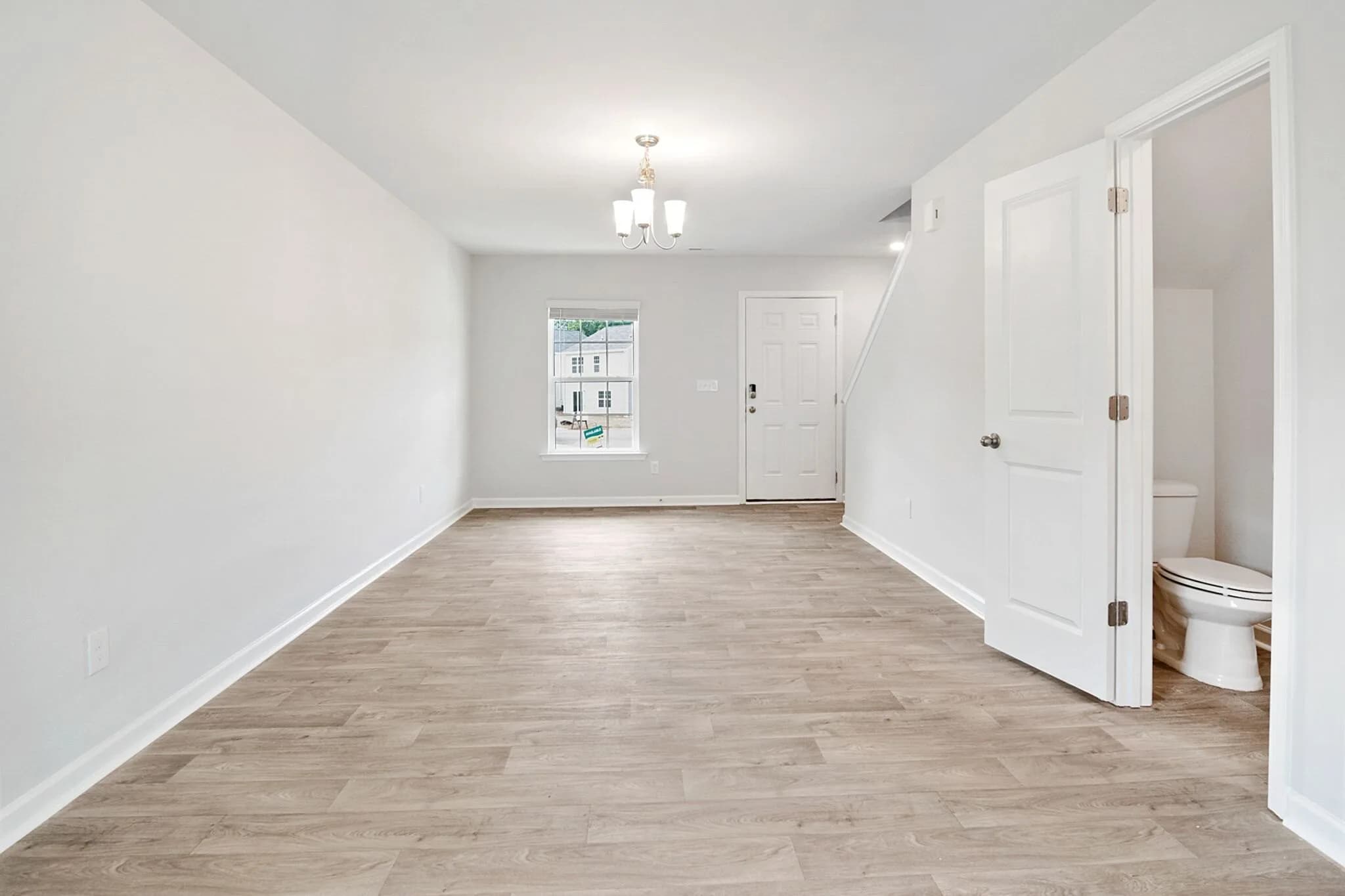
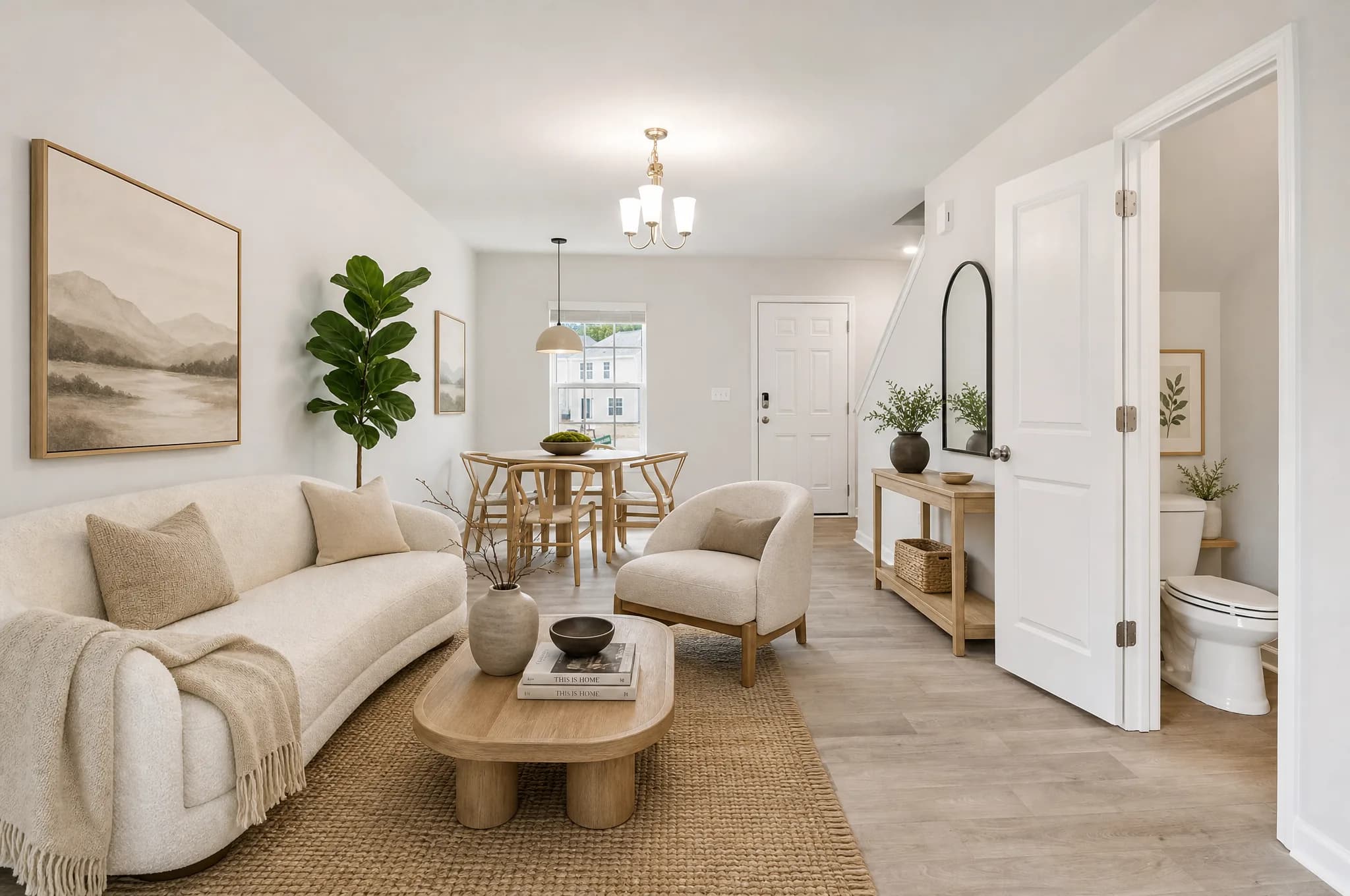
Real-photo test VS-06: licensed empty room and Agent Lens output. View source, settings, and review.
Two ways to use it
Pick the workflow that fits your day
Same account, same credits, same results. Sign in once — the web app and the Chrome extension stay in sync.
Use it on the web
No install · Works on any browser
- Sign in with Google or email magic link
- Drag-and-drop interface for batch uploads
- Full history, before/after slider, downloads
- Works on Mac, Windows, iPad, anything with a browser
Chrome extension
One-click from MLS, Zillow, any listing page
- Right-click any photo on Zillow/MLS → Stage it
- Side panel never blocks your listing tab
- Same account, credits, and history as the web app
- Best for agents who live in their listing portals
Already have an account? Sign in.
SIMPLE AS ONE-TWO-THREE
How Agent Lens Works
Watch the demo to see how our Chrome extension works end-to-end.
Upload your room photo
Open the web app and upload a photo, or send one from the Chrome extension side panel.
Choose a furniture style
Select a staging style for the room and keep the original photo for comparison.
Generate a visual concept
Choose a style and generate a possible furniture and decor layout. The output may contain errors.
Review, disclose, and export
Compare the result with the original, reject material changes, add the required disclosure, and confirm destination rules.
Open quality test
We publish the misses, too.
We ran eight varied rooms through Agent Lens once, kept the exact inputs and outputs, and scored every result against the same review gates.
- Cases
- 8
- Accepted after review
- 3
- Regenerate
- 4
- Rejected
- 1
Observed generation range: 66.8–116.2 seconds. This is one disclosed first-party run, not a universal success rate.
See every input, output, and score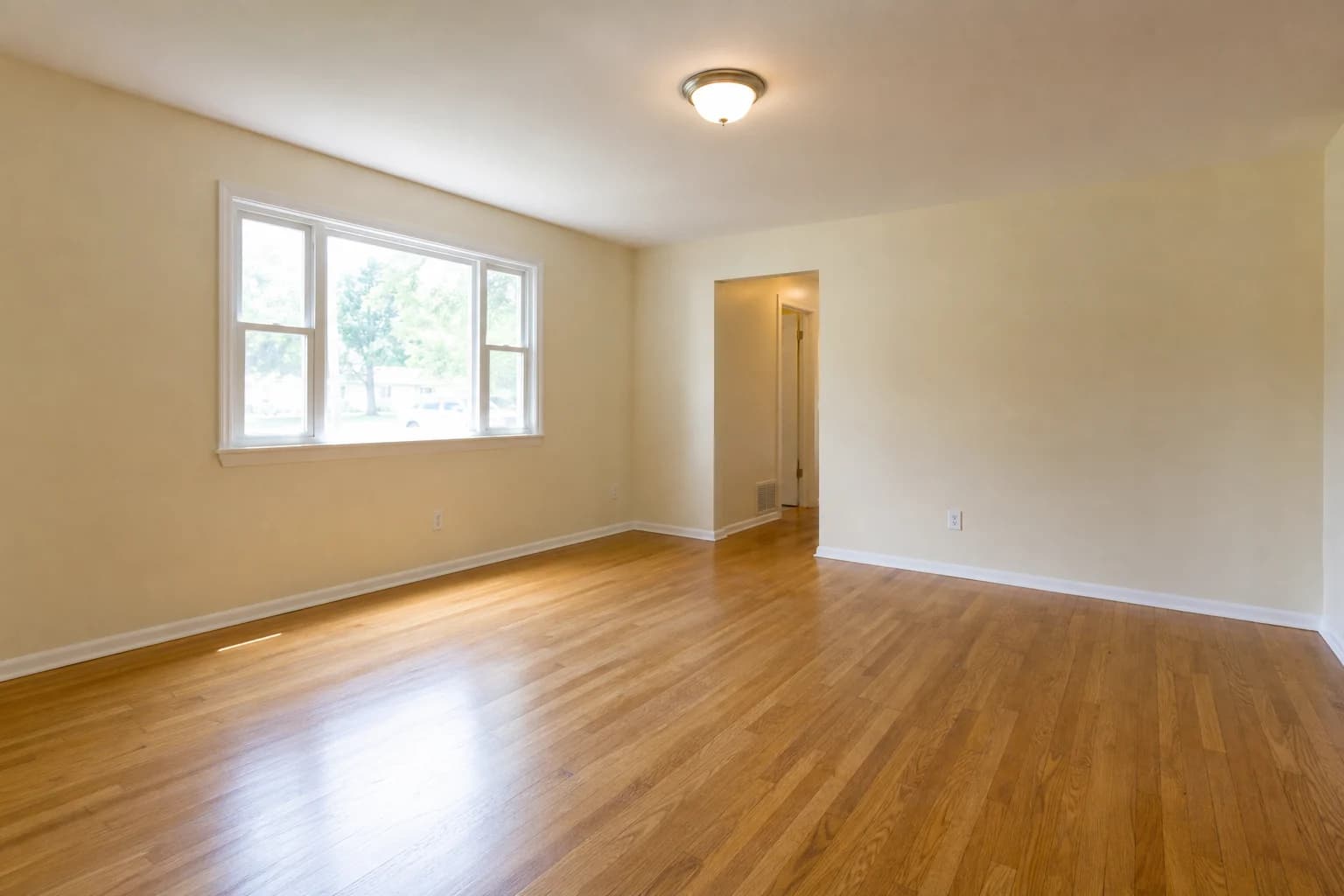 Source
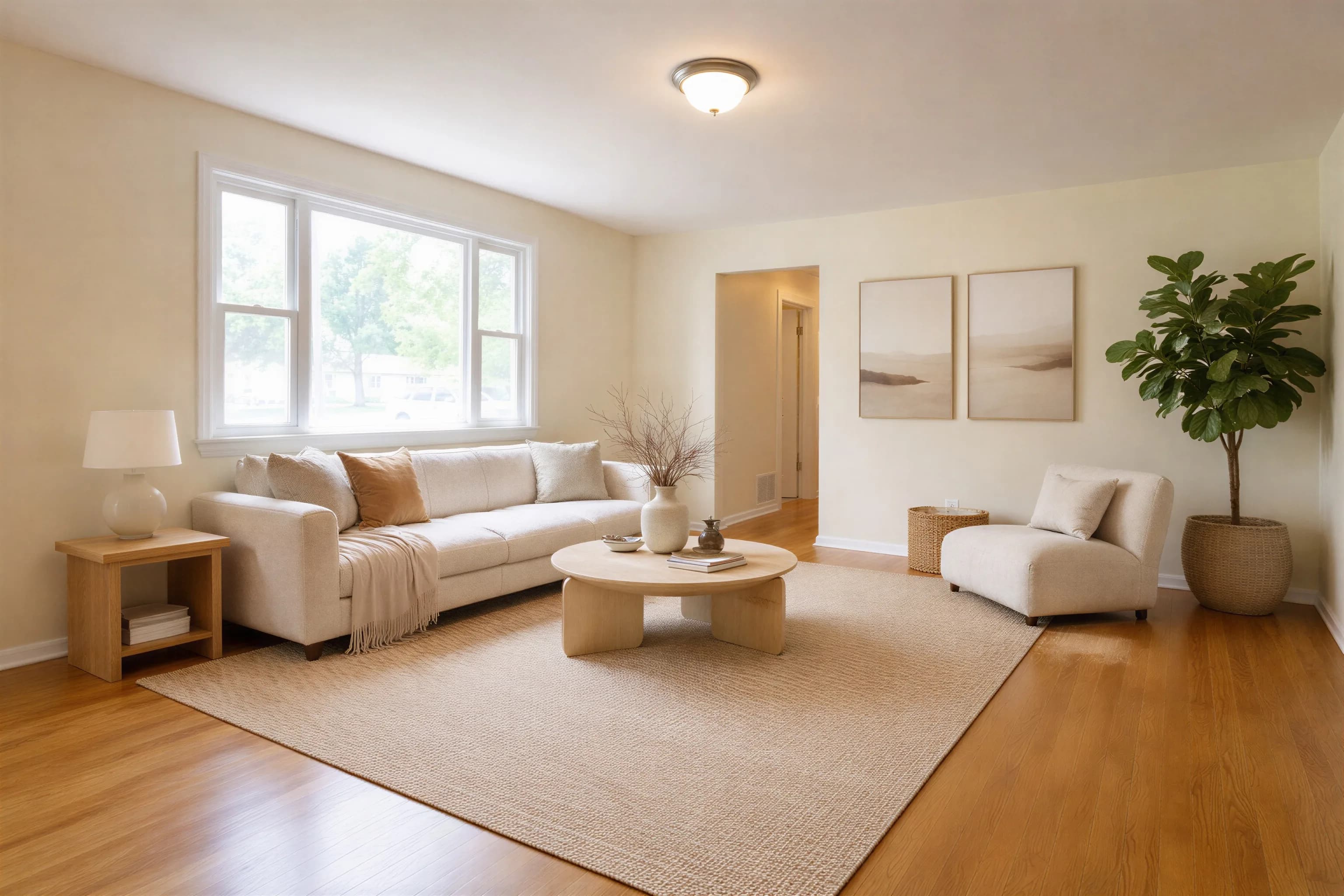 Output
VS-01 was accepted after full-resolution review. Other cases exposed room-use, clearance, and permanent-feature failures.
DISCLOSURE SUPPORT
Built-in AI Disclosure
Add a visible label to an AI-edited image, then apply the rules of your MLS, platform, brokerage, and jurisdiction.
 AI Enhanced
One-click visible label
Add an "AI Enhanced" label before downloading the image
Supports disclosure workflows
Use the label alongside the wording required by your MLS or platform
Build client trust
Show viewers that an image was edited with AI
Review before publishing
Keep the original and compare permanent property features
A visible label is one part of disclosure, not legal advice. Requirements vary, so verify the current rule before publishing and retain the unedited source photo.
RESULTS EXAMPLE
Before / After
See the source photos and generated results in our open quality test.
View before-and-after test casesVERIFY IT YOURSELF
Test Agent Lens on Your Own Listing
We are not going to manufacture social proof. The useful test is whether the output works for your property and survives a careful review.
Use a real listing photo
Upload one of your own empty-room images. A generic demo cannot show whether the tool will preserve your walls, windows, and room geometry.
Compare the details
Inspect the before-and-after result at full size. Check doors, fixtures, shadows, scale, and anything that must remain factually accurate.
Publish only after review
Virtual staging is a visualization, not a record of the physical room. Follow your MLS rules and disclose edited images where required.
Free AI Tools for Agents
Powerful tools to help you market your listings and close more deals. 100% free, no signup required.
FREQUENTLY ASKED QUESTIONS
FAQ
How should I choose virtual staging software?+
Run the same source photo through the tools you are considering, then inspect the full-size exports. Check whether walls, windows, fixtures, room proportions, shadows, and image resolution are preserved. Also compare revision controls, disclosure options, pricing, and export limits. Agent Lens publishes its own comparison pages, so treat them as commercially interested material and verify current competitor details on each vendor's site.
How much does virtual staging cost?+
Pricing models vary: some services charge per image, some sell subscriptions, and designer-assisted services usually cost more. Agent Lens currently starts at $9.90 per month for 50 generations. Verify the live plan, credit reset, and renewal terms, and budget for the time needed to review, reject, or regenerate an image.
Is AI virtual staging as good as real staging?+
They solve different problems. Virtual staging changes the listing image so an empty room is easier to interpret online; physical staging changes what a visitor sees at the property. A virtual result can look convincing, but it may also introduce artifacts or alter permanent features, so every output needs human review. Neither method guarantees a faster sale or a higher price.
What is virtual furniture staging?+
Virtual furniture staging digitally adds furniture and decor to a property photo. It is used to illustrate one possible layout without moving furniture into the home. The edited image should be identified as virtually staged, checked against the original, and never used to hide defects or misrepresent permanent property features.
How realistic are the images?+
Realism varies with the source photo, room geometry, and selected style. Review the export at full size and compare it with the original. Reject any result that bends walls, changes windows or fixtures, blocks doors, creates inconsistent shadows, or places furniture at an implausible scale.
Do you offer subscriptions?+
Agent Lens uses a monthly subscription with included credits. Your credits reset each billing cycle (unused credits don't roll over). If you previously purchased one-time credits, they remain available until used.
Can I process many photos at once and what are the image requirements?+
You can upload multiple photos and review them as the queue completes. Processing time varies with file size and demand. Sharp, level, well-lit photos with an unobstructed view of the floor and walls usually give the model better information. Check the upload screen for currently supported formats and limits.
Does the disclosure label guarantee MLS or legal compliance?+
No. Agent Lens can add a visible AI disclosure label, but a label alone does not determine compliance. MLS rules, platform policies, advertising laws, and required wording vary by location and can change. Keep the original photo, avoid changing permanent features, disclose the edit clearly, and confirm the current requirements with your MLS, brokerage, or qualified local adviser before publishing.
1 credit = 1 generation
Pricing · Agent Lens
Starter
50 credits
≈ $0.20 per generation
- • 50 photo generations per month
- • Deduction: 1 credit = 1 processing
Pro
150 credits
≈ $0.13 per generation
- • 150 generations per month — optimal choice
- • Deduction: 1 credit = 1 processing
Business
500 credits
≈ $0.10 per image
- • 500 generations per month for professionals
- • Deduction: 1 credit = 1 processing
💳 All major credit cards • 🔒 Secure checkout via DodoPayments
Get Started for Free
Stage your first room — your way
Use Agent Lens directly in your browser, or install the Chrome extension to stage photos straight from MLS, Zillow, or any listing page. Same account, same credits.
- Generation time varies by image and demand
- Full-size output review before use
- Optional visible disclosure label