
How Agent Lens Works
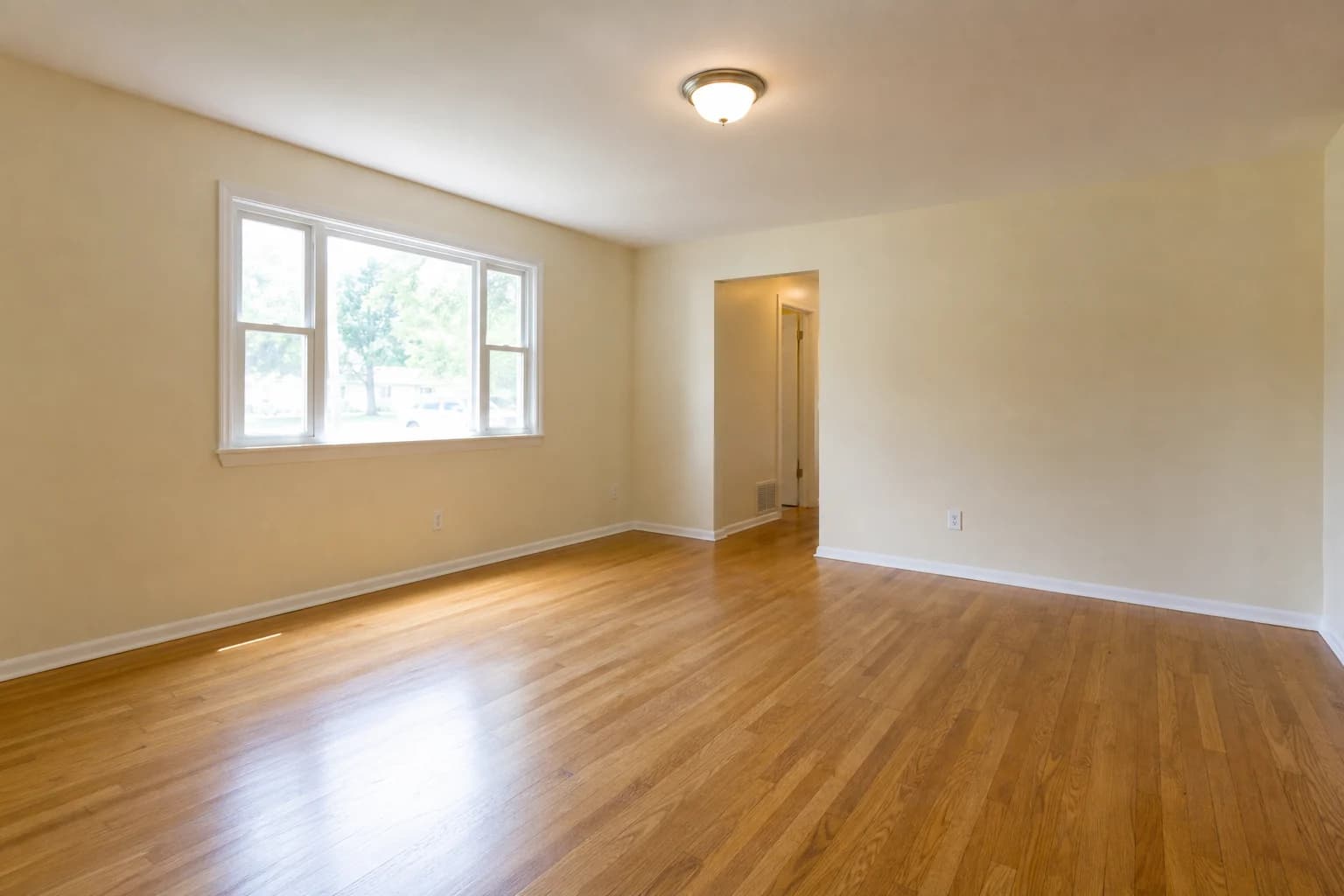
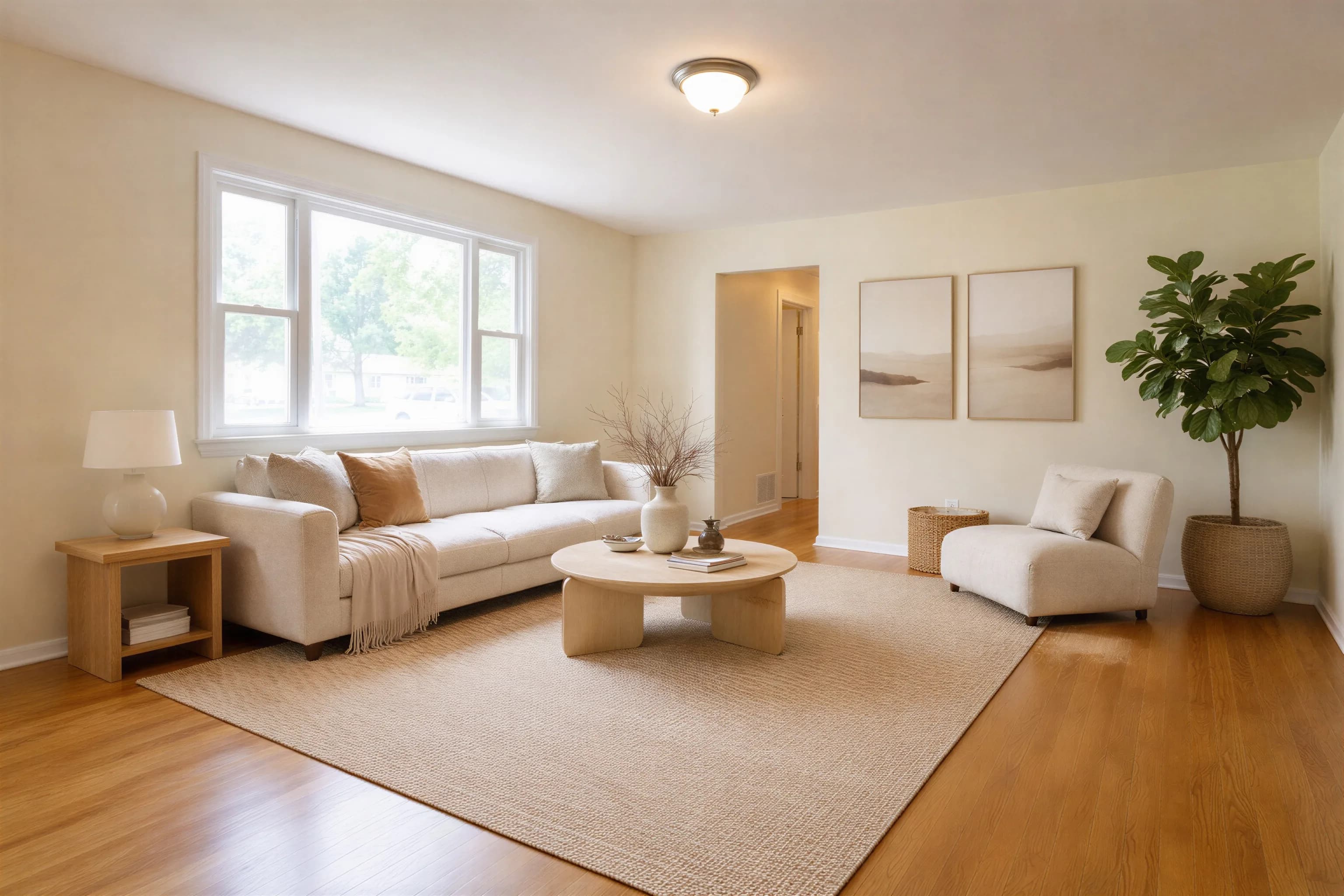
Upload an empty-room photo, choose a staging direction, generate a version, and review it against the original before publishing.
Our Technology Approach
AI-Powered Analysis
The model uses visible room boundaries, lighting, and perspective cues to propose a furnished version. Ambiguous photos can still produce layout errors.
- Room-layout estimation
- Perspective-aware generation
- Lighting cues
Generated Results
Agent Lens adds furniture and decor in the selected direction. Results vary by source photo and should be compared with the original before publication.
- Four staging styles
- Furniture and decor generation
- Original-to-output review
Fast Processing
In our disclosed eight-image production test, jobs completed in 66.8 to 116.2 seconds. Provider load and image complexity can change that range.
- Cloud-based processing
- Downloadable output
- Per-job status tracking
Simple 3-Step Process
Upload Your Photo
Upload time variesUpload a sharp, level photo in the web app or send it from the Chrome extension. Keep walls, floors, doors, and windows clearly visible.
Select Your Style
A few secondsChoose one of the four current staging directions: Organic Modern, Mid-Century Modern, Modern Farmhouse, or Warm Maximalism.
Download Results
66.8-116.2 sec in our testDownload the generated version, compare it with the source, and inspect permanent features, furniture scale, shadows, and reflections. Regenerate or reject any result that changes the property or looks implausible.
Observed Processing: 66.8-116.2 seconds
The median was 98.8 seconds in our eight-image test. Review every source, output, timing, and verdict.
Quality Review
Human Review Required
A generated image is a draft, not an automatically listing-ready asset. Compare it with the original and check:
- Walls, windows, doors, and fixtures
- Furniture scale and room access
- Shadows, reflections, and geometry
- Any change to property condition
Continuous Improvement
We continuously update our platform to deliver better results:
- Regular platform updates
- User feedback integration
- Quality monitoring
- New features added regularly
See the Technology in Action
Generate a staged version, then inspect it alongside the original before deciding whether to use it.
Test Virtual Staging on a Listing Photo
Try a current staging style, review the output carefully, and regenerate when the first result is not suitable.
Try Agent Lens Free