
Living Room
The highest-impact room for staging. Sofas, tables, rugs, and decor.
Vacant Home Staging
Empty room virtual staging adds digital furniture and decor to a vacant-room photo. Choose one of the current staging directions, then compare the result with the source and reject any version that changes permanent features or misrepresents scale.
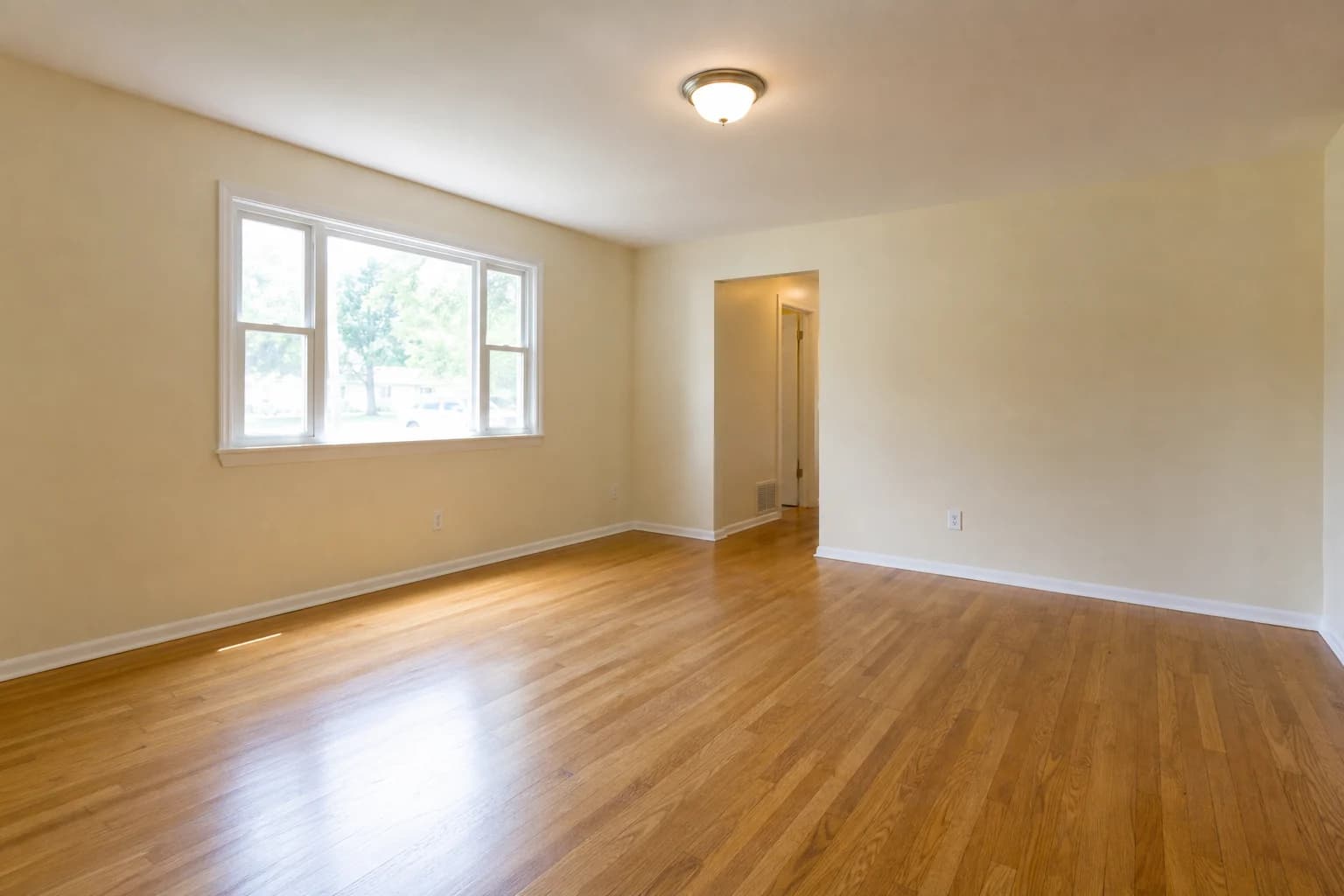
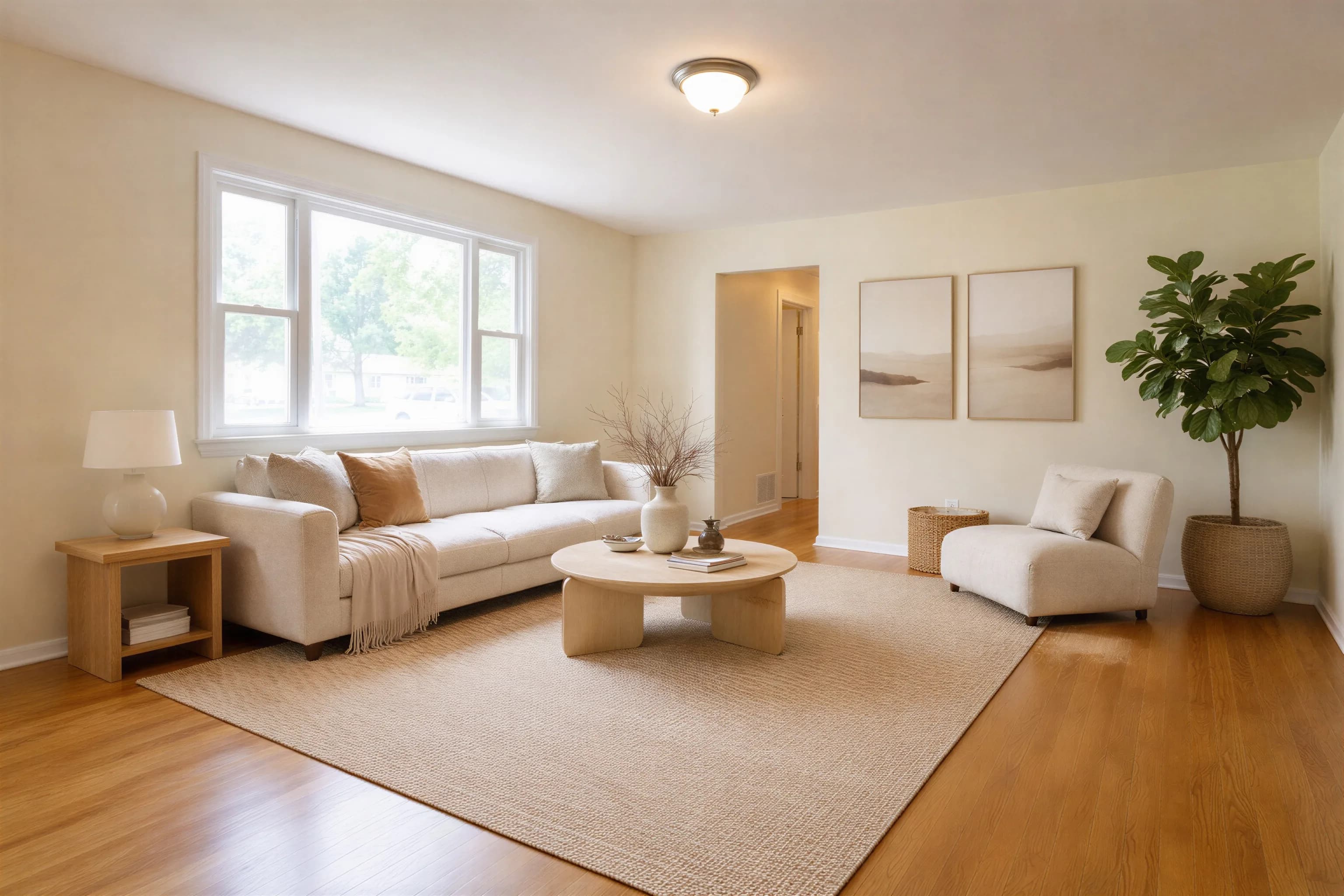
This is one accepted result, not a guarantee for every photo. See the complete eight-image quality test for sources, raw outputs, timings, regeneration decisions, and one rejected case.
To virtually stage an empty room, upload a sharp, level photo, choose an available staging direction, and generate a furnished version. Compare it with the source for changed fixtures, blocked access, scale, geometry, shadows, and reflections before publishing. In our disclosed eight-image test, processing took 66.8 to 116.2 seconds per job.
Take a landscape photo of the empty room from a corner angle
Upload the photo in the Agent Lens web app or Chrome extension
Select a current staging direction
Download the generated version when processing finishes
Compare permanent features, scale, access, and lighting with the source
Disclose the virtual edit under the rules of the listing platform
A clear input makes room boundaries easier to interpret and makes the output easier to audit. Follow these four guidelines.
A corner viewpoint can show more floor area and more of the room boundaries. Avoid an extreme wide-angle lens, which can distort scale and make the generated layout harder to evaluate.
Open blinds and curtains and use a balanced exposure. Clear, evenly lit boundaries give the model more useful information than clipped highlights or deep shadows.
Landscape orientation often provides more room context, but the useful framing depends on the space and destination. Keep the camera level and show enough floor, walls, doors, and windows to evaluate the generated layout.
Remove boxes, cleaning supplies, and personal items. Agent Lens works best with truly empty rooms — any remaining items may conflict with AI-placed furniture.
Living Room
The highest-impact room for staging. Sofas, tables, rugs, and decor.
Bedroom
Beds, nightstands, and textiles that make the space feel livable.
Kitchen
Bar stools, pendant lights, and countertop accessories.
Dining Room
Tables, chairs, centerpieces, and ambient lighting.
Home Office
Desks, shelving, and ergonomic furniture for remote workers.
Bathroom
Towels, accessories, and spa-like touches.
Upload a clear empty-room photo, generate a version, and inspect it against the original before using it.
Yes. An unobstructed room gives the model clear floor and wall boundaries, but it does not guarantee a usable result. Inspect furniture scale, access to doors and windows, shadows, and all permanent features before publishing.
Use a sharp, level, evenly exposed photo that clearly shows the room boundaries and permanent features. A corner angle and landscape framing can provide useful context, but avoid extreme wide-angle distortion. Check the current upload interface for supported file requirements.
Agent Lens processes each photo independently. You can select the same staging direction for every room, but visual consistency is not guaranteed. Review the set together and regenerate individual images when furniture, color, or scale does not fit the rest of the listing.
Not necessarily. Start with rooms that are difficult to understand when empty, such as the main living area or primary bedroom. Keep the original photos available, disclose virtual staging, and add more staged views only when they improve the listing without repeating the same information.
Virtual staging can illustrate one possible use of a small room, but it must not change the room's dimensions. Generated furniture can be oversized or block circulation, so compare the output with the source and reject any version that misrepresents scale.