

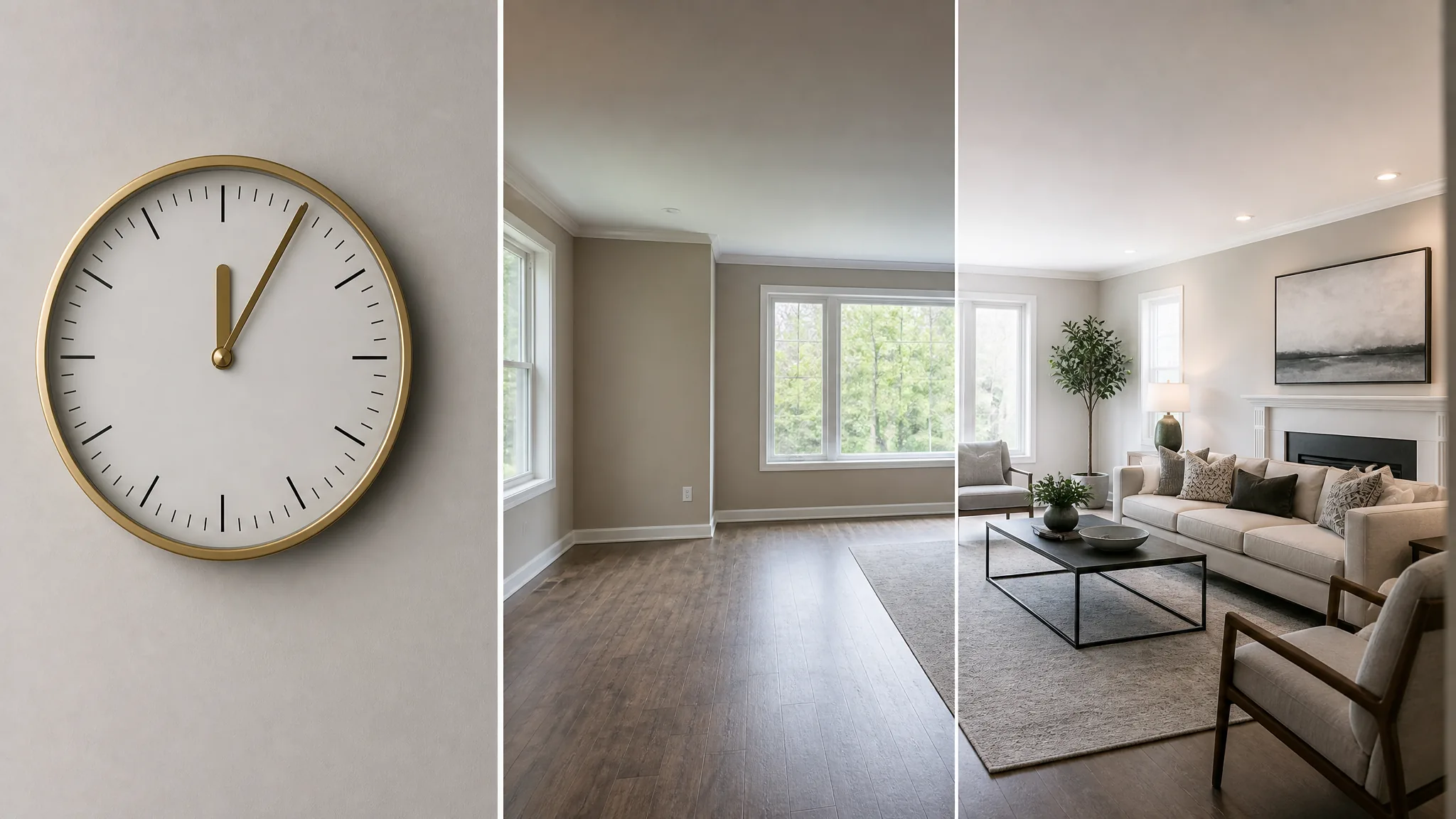
TL;DR. You can stage a vacant home with AI in 5 minutes per room. Shoot a wide-angle photo (30 sec), upload to a tool like AgentLens (30 sec), pick a style and generate (60 sec), review for floating furniture or scale errors (60 sec), add the MLS disclosure watermark (60 sec). One staged listing photo costs about $0.20 versus $1,500-$3,000 for traditional in-person staging. The end-to-end workflow is below, plus the honest case for when AI is not the right tool.
If your showing is tomorrow and the listing is vacant, you do not have time for a 6-week staging rental. The good news in 2026 is you do not need it. AI virtual staging closed the quality gap with human-edited staging this year. The fast AI virtual staging workflow now fits in a coffee break.
This guide is the speed version. For the broader step-by-step tutorial with camera-angle rules, see our how to do virtual staging guide. For the room-by-room order on vacant listings, see virtual staging for vacant rooms. For the tool-by-tool comparison with a pricing table, see virtual staging software for real estate agents. If you want a free AI staging app to start with, every tool below has free starter credits. No card required.
The 5-minute promise, broken down

AI does the staging in 30 to 60 seconds per room. The other 4 minutes are the human work on either side of the model: get the photo right, pick the right style, catch artifacts, label the output for MLS. Skip any of those four steps and you ship a flagged listing or an obviously fake-looking photo.
What the workflow actually looks like

The five steps below are the workflow we use on every vacant-room shoot. Pick any tool from the virtual staging software roundup and the steps map cleanly.
Step 1. Shoot the source photo (30 seconds)
The AI uses the source photo for floor angle, wall position, and light direction. Bad input gives bad output, no matter which tool you pick. Three rules.
Shoot wide. Use a wide-angle lens or your phone in 0.5x mode. AI staging tools work best with a full room view showing two walls and the floor.
Level the camera. Tilt makes the AI guess where the floor ends. That guess is the most common source of floating furniture in the staged output. Use a tripod or rest the phone on a stable surface at chest height.
Light the room. Open the blinds. Turn on the overhead lights. Diffuse daylight is the most forgiving input for any AI model. For the full iPhone camera rule set, see our iPhone real estate photography playbook.
Step 2. Upload to your AI staging tool (30 seconds)
Three tools we tested all hit this step in under 30 seconds.
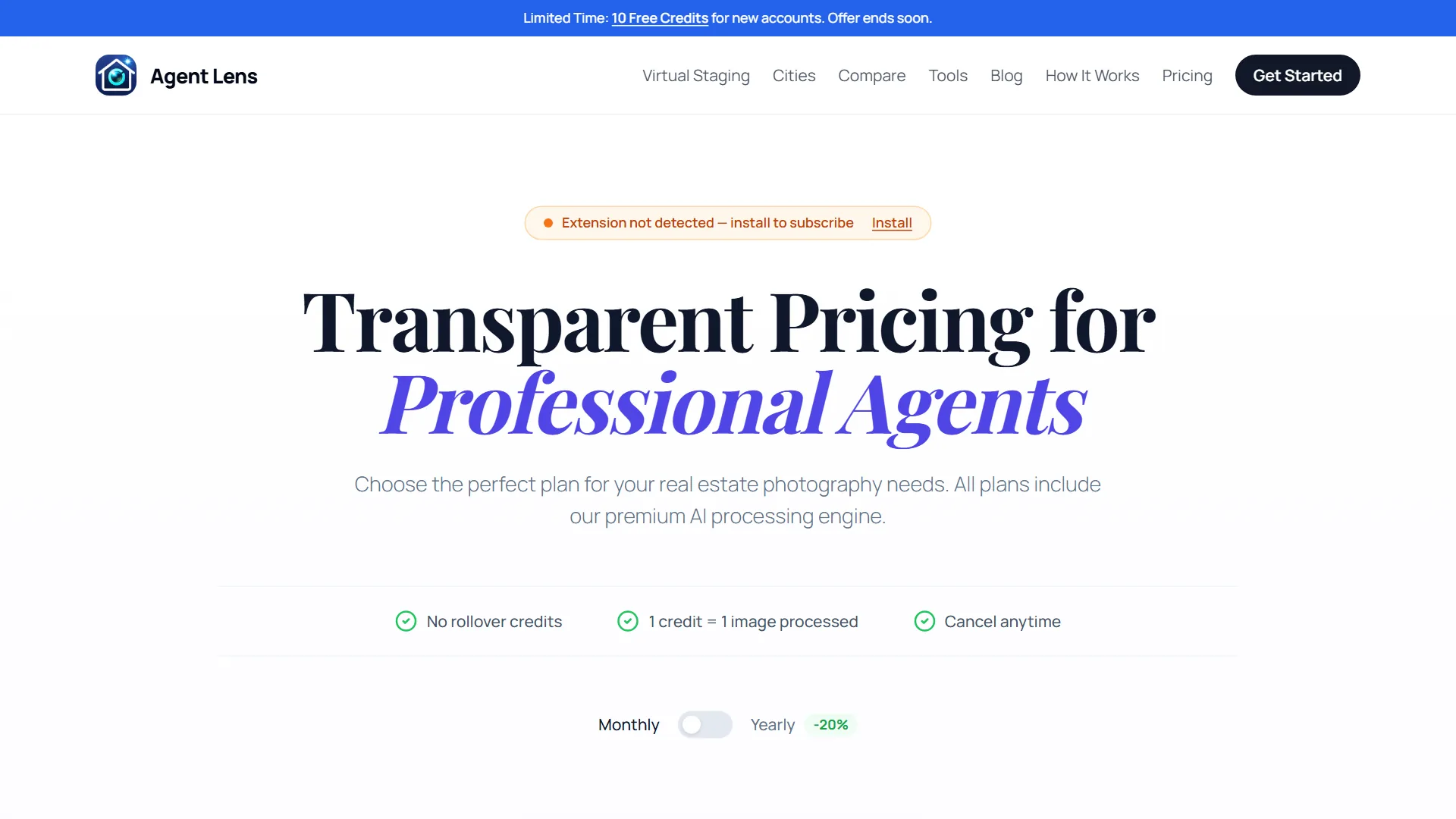
AgentLens runs as a Chrome extension. Install once from the Chrome Web Store, drag the photo onto the side panel. No tab switch. 10 free credits on signup with no card. Paid plans from $9.90/mo. The pricing page above shows the full credit-based structure.

REimagineHome is a standalone web app. 3 free designs on signup. The pricing tiers above start at $19/mo (Essential) and scale to $119/mo (Agency). The Pro plan at $36/mo is their most popular pick.
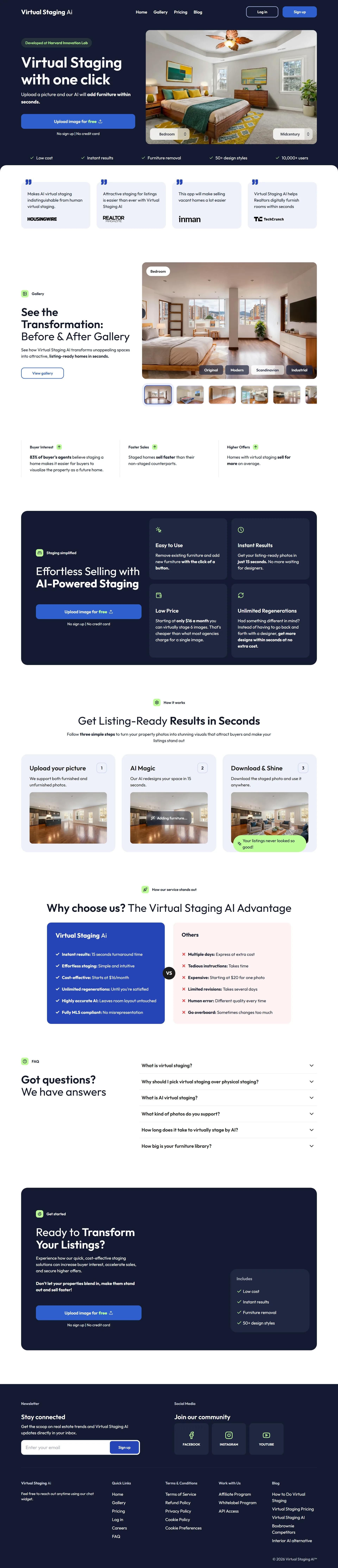
Virtual Staging AI is a no-signup-needed web upload. 1 free image. Best fit for low-volume agents who stage a few rooms a quarter. The full-page tour above shows the workflow plus the before-and-after gallery.
Step 3. Pick a style and generate (30-60 seconds)
The style picker is where most credits get wasted. Three rules.
Match the home, not your personal taste. A 1970s ranch staged in modern minimalism reads as obviously edited. Pick a style consistent with the architecture and the neighborhood.
Watch the scale. AI models occasionally place a king bed in a 10-by-12 bedroom. Most tools have a "small room" preset. Use it when the original photo shows tight wall-to-wall spacing.
Fewer items beats more. A sofa, a coffee table, an area rug, two pieces of wall art, and a plant is usually the right load.
Run the AI render. Most tools deliver in 30 to 90 seconds for a single image.
Step 4. Review for artifacts (60 seconds)
Look at the full-size output, not the thumbnail. Four common artifacts.
Floating furniture. Items not touching the floor cleanly, with soft shadow on the wall behind them. The AI guessed the wrong floor angle. Regenerate.
Doubled features. Two coffee tables, a sectional with extra cushions. Pick a different output from the regenerate set.
Wrong scale. Bed too small or sectional that fills space that does not exist. Use a less aggressive style preset.
Color clashes. Furniture that does not match the wall color or natural light direction. One credit to regenerate.
After two or three regenerations, if the result still looks off, re-shoot the source photo.
Step 5. Disclose and upload (60 seconds)
Most US states and most major MLS systems require disclosure on virtually staged photos. California's AB 723 made it explicit for AI-edited real estate photos. Florida Realtors aligned with similar guidance.
The fix is a small corner watermark reading "Virtually Staged" plus a sentence in the listing description noting which rooms were edited. AgentLens adds the watermark for you. Other tools need you to add it in Canva or Photoshop before upload.
For listing description help, our free listing description generator outputs MLS-ready text with a virtual-staging disclosure paragraph included.
The 5-minute case vs traditional staging
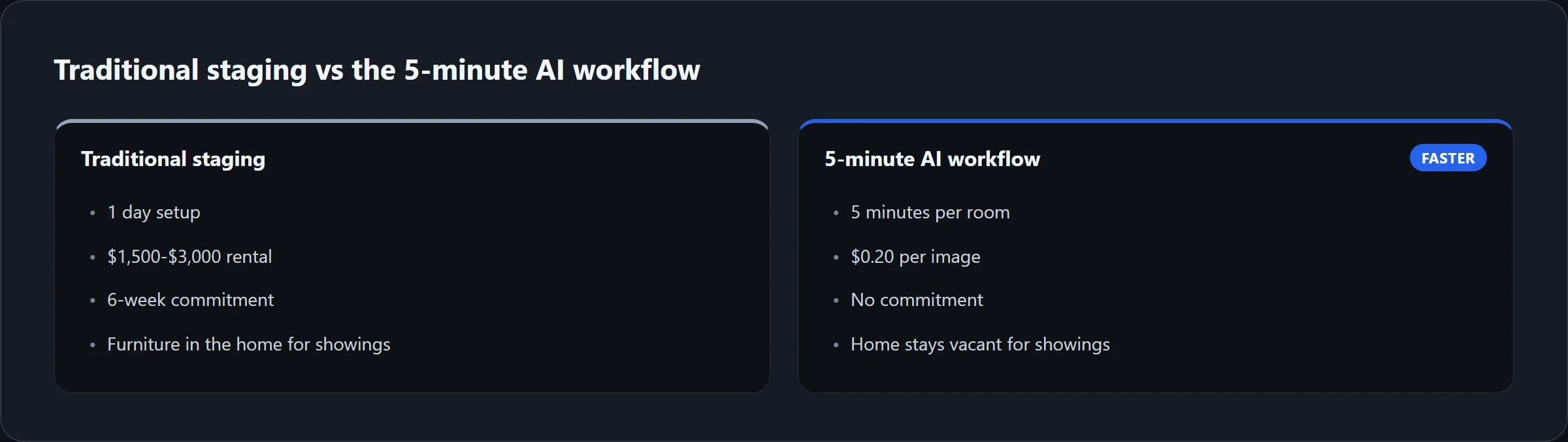
The math favors AI for any listing under $1M. Five vacant rooms stage out at about $1 in credits with the right tool. The same listing in physical staging runs $1,500 to $3,000 for a six-week rental. The trade-off is the in-person walkthrough still shows an empty home. Plan for that. Clean, paint, and add a small physical touch up before showings.
The honest case against AI staging in 5 minutes
We promised the honest version, so here it is. AI virtual staging is not always the right tool. A working agent on r/realtors in May 2025 put the critical view this way.

r/realtors · "Quick Tip: Seeing more success with vacant listings lately" · posted May 2025. A working-agent thread that captures both sides of AI staging. Read the original thread on reddit.com for the full set of replies and live comment scores.
Three concrete situations where the 5-minute workflow is the wrong call.
The listing is over $1.5M and buyers expect a fully merchandised walkthrough. The empty in-person showing breaks the spell. Physical staging wins on ROI here.
The vacant rooms have unusual proportions (long narrow shapes, low ceilings, irregular angles). AI models struggle. The output reads as obvious. Better to skip staging and rely on dimensions in the listing description.
You cannot match the in-person experience to the staged photo. Buyers walk in expecting the staged look. The gap kills the second showing. If you cannot do at least a paint refresh and a deep clean, do not stage the photos.
Watch: a 9-minute AI staging walkthrough from a working realtor
The video below is from the "AI for Realtors" channel. Posted November 2025. It walks through the free-tier AI staging flow on a real listing photo and ships it ready for the MLS. The most recent agent-led tutorial on this exact topic.

The presenter's takeaway matches our testing. Start on a free tier. Pick the style before you upload. Regenerate once if scale looks off. Disclose on upload. Total time is under 10 minutes start to finish.
Try the 5-minute workflow on your next vacant listing
10 free credits on signup. No credit card. Enough to stage two full vacant listings (5 rooms each) before you pay anything.
Install the AgentLens Chrome extension. 10 free credits, no card required.
How we tested
We ran the same vacant 1,800 sqft Austin living room photo through three tools on May 19, 2026. Same Modern Farmhouse style preset. We timed each step on a stopwatch. The average end-to-end time across the three tools was 4 minutes 40 seconds per room (including a single regenerate on one of the outputs). Pricing comes from each vendor's public page as of May 2026. We disclose that AgentLens is our own product. We ran the test photo through every competitor in a clean browser profile to keep the comparison honest.
Read more about how we evaluate AI staging tools. For the full roundup with 6 tools and a side-by-side pricing table, see virtual staging software for real estate agents.
Last updated: May 19, 2026. Prices and feature lists are reviewed monthly.
Frequently asked questions about staging a vacant home with AI
Can I use AI to stage my house?
Yes. Modern AI staging app options work on any home with no editing skills required. Upload a photo, pick a style, the AI generates a staged version in under a minute. AgentLens, REimagineHome, and Virtual Staging AI all give free starter credits at signup so you can stage your first photo without paying. If you need a free AI staging app for one quick listing, the AgentLens 10 free credits cover two complete vacant homes.
How much does AI home staging cost?
About $0.10 to $0.20 per staged image on a subscription plan. Per-image pricing without a subscription runs around $16 per image. Traditional in-person staging costs $1,500 to $3,000 per home for a six-week rental. For listings under $1M, AI wins on ROI. For listings over $1.5M, physical staging is usually the better call.
Can I try virtual staging AI for free?
Yes. AgentLens gives 10 free credits on signup with no credit card. REimagineHome gives 3 free designs. Virtual Staging AI gives one free image. Each free tier is enough to stage at least one room and decide if the tool fits your workflow.
How long does AI virtual home staging actually take per room?
About 5 minutes end-to-end. The AI generation itself runs in 30 to 60 seconds. The other 4 minutes are the source-photo setup, the style pick, the artifact review, and the MLS disclosure label. That is the entire AI staging vacant home workflow in 2026.
What is the best AI virtual staging tool for staging a vacant home in 5 minutes?
For monthly volume, AgentLens wins on price ($9.90/mo, 10 free credits to start) and on workflow (the Chrome extension runs inside the same tab as your listing-prep). For one-off jobs, Virtual Staging AI's per-image pricing beats a subscription. For exterior shots, REimagineHome handles outdoor cleanup better than the AI-only competitors. The full home staging AI roundup is in virtual staging software for real estate agents.
Is AI staging legal on MLS?
Yes, when disclosed. Most MLS systems and most state real estate commissions allow virtual staging on listing photos. Each enhanced photo must carry a "Virtually Staged" label. Add a sentence in the listing description noting which rooms were edited. AgentLens adds the watermark automatically. Other tools need you to add it in Canva or Photoshop before upload.
Does AI staging actually sell vacant homes faster?
Yes for the click-through stage of the funnel. Staged listing photos drive higher click rates on Zillow and Realtor.com than empty-room photos. The thumbnail wins the scroll. Higher click-through usually means faster showings and fewer days on the market. The in-person showing still shows an empty home, so plan for that by cleaning, painting, and adding a small physical touch up.
What if the AI output looks fake?
Three fixes. Re-shoot the source photo with a wider angle and better light. Pick a less aggressive style preset (Modern Farmhouse beats Modern Minimalism on most homes). Regenerate. If after two or three regenerations the output still looks fake, the source photo is the problem, not the AI.
Bottom line: a 5-minute workflow that respects the buyer
The 5-minute AI staging workflow gives you cheap, fast listing photos that win the click. It does not give you a furnished home for showings. Match the in-person experience to what the staged photo promised. Clean. Paint. Stage one focal piece if budget allows. Then ship the AI photos.
Start with the AgentLens 10 free credits. One vacant listing through the 5-minute workflow tells you if it fits how you work.
Free Real Estate Tools
Explore our free calculators and AI tools for agents:
Transform Your Listings with AI
Apply professional virtual staging and enhancements in seconds. Start transforming your listings today.
Explore Virtual Staging Options
Start with our most popular room & style combinations: