
Step-by-Step Guide
How Virtual Staging Works
Virtual staging transforms empty room photos into professionally furnished listings using AI. The entire process takes under 60 seconds per photo and costs $0.10. Here is exactly how it works.
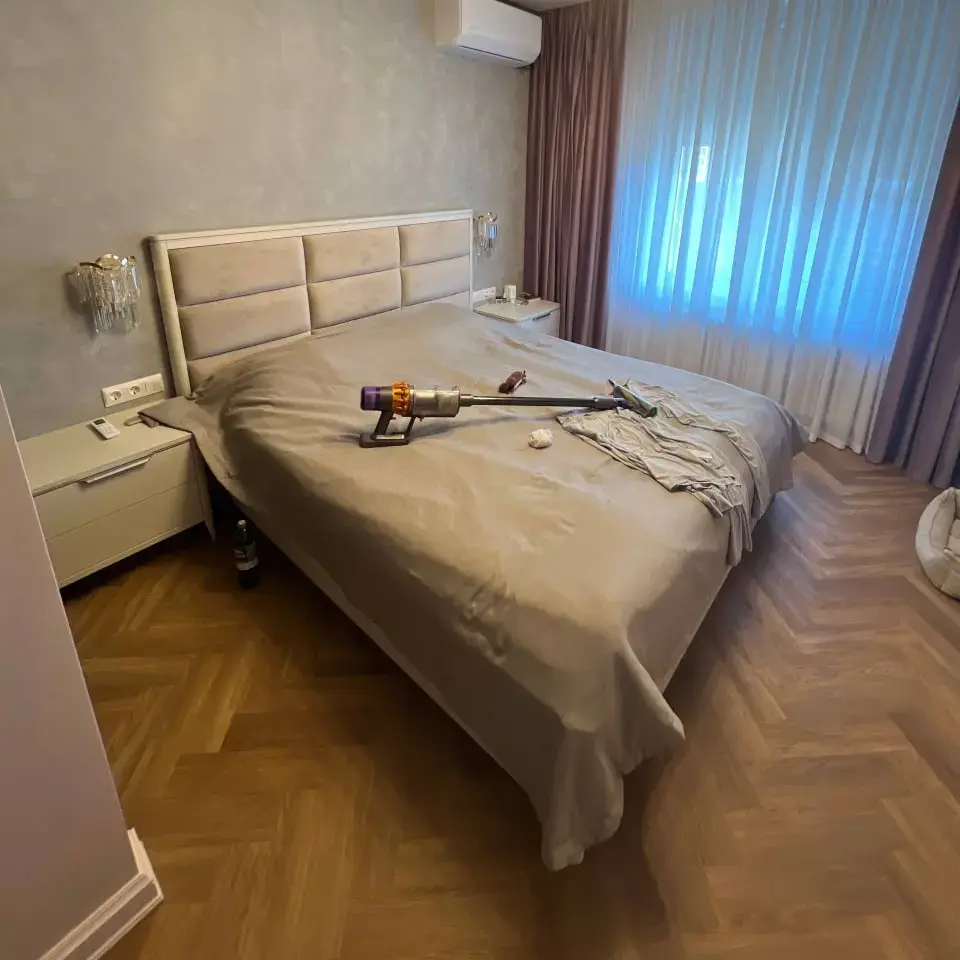
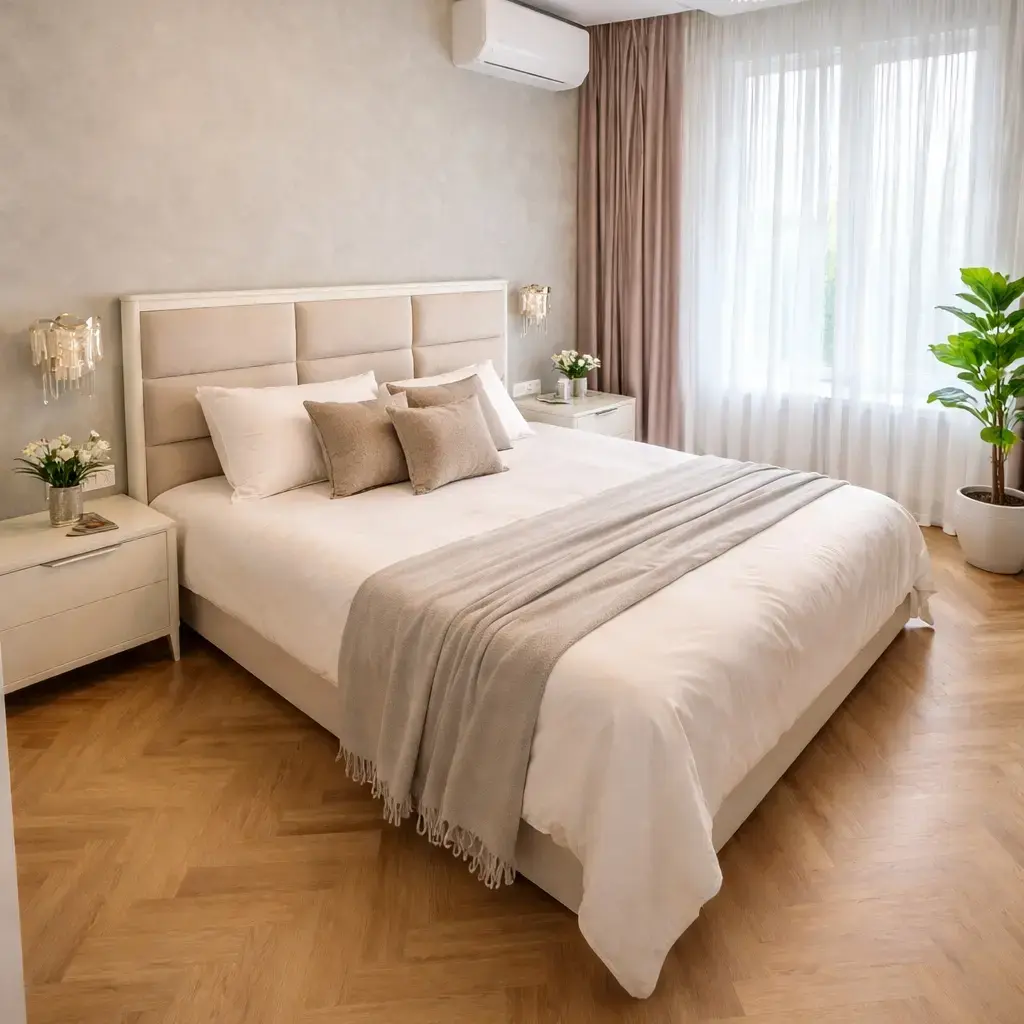
How do you virtually stage a home?
To virtually stage a home: (1) take a landscape photo of each empty room, (2) upload it to Agent Lens Chrome extension, (3) select a design style from 11 options across 4 categories, and (4) download the AI-staged result in 60 seconds. The AI detects the room type, places proportional furniture, and matches the photo's lighting. Cost: $0.10 per image.
Step-by-Step Guide
- 1
Take a landscape photo of the empty room from a corner
- 2
Upload to Agent Lens or capture directly from a listing website
- 3
Select a design style (Modern, Farmhouse, Scandinavian, etc.)
- 4
Wait 30-60 seconds for the AI to generate the staged photo
- 5
Download in high resolution and upload to MLS as "Virtually Staged"
4 Steps to Stage Any Room
Upload Your Photo
Take a photo of the empty room with your phone or camera. Use landscape orientation and shoot from a corner for the best results. You can also capture photos directly from Zillow, Realtor.com, or your MLS using the Agent Lens Chrome extension.
Tips
- Landscape orientation gives the AI more room to work
- Good natural lighting produces more realistic staging
- Clear the room of boxes and debris first
- Shoot from a corner to capture maximum floor space
Choose a Design Style
Select from 11 curated design styles in 4 categories. Each style is based on real interior design principles — Organic Modern uses natural materials and earth tones, Modern Farmhouse features rustic textures and warm tones, Mid-Century Modern brings clean lines and retro appeal.
Tips
- Match the style to the home's architecture and target buyer
- Modern works well for urban condos and new construction
- Farmhouse and Traditional suit suburban family homes
- Use the same style across all rooms for consistency
AI Generates Your Staged Photo
The AI analyzes your photo in seconds: detecting room type, measuring proportions, identifying light sources, and locating architectural features. Then it places appropriately sized furniture with matching shadows and reflections. The entire process takes 30-60 seconds.
Tips
- The AI preserves windows, doors, floors, and built-ins
- Furniture is proportional to the room — no oversized sofas in small rooms
- Shadows match the natural light direction in your photo
- Each generation is unique — regenerate for a different arrangement
Download and Use
Download your staged photo in high resolution. Upload it to your MLS, Zillow, Realtor.com, or social media. Always label staged photos as "Virtually Staged" per MLS guidelines. Include both the original and staged versions in your listing.
Tips
- Label photos as "Virtually Staged" for MLS compliance
- Include both staged and original versions in your listing
- High-resolution output works for print marketing too
- Share before/after on social media for engagement
Try It Yourself
Stage your first room in 60 seconds. 10 free credits — no credit card needed.
Virtual Staging How-To FAQ
How do you virtually stage a home?+
To virtually stage a home, take photos of each empty room, upload them to a virtual staging tool like Agent Lens, select a design style, and download the AI-staged result. The process takes about 60 seconds per photo. For a complete listing, you can stage all rooms in under 10 minutes for less than $1 total.
Do I need special equipment for virtual staging?+
No. A smartphone camera is sufficient for virtual staging. The AI works with any photo resolution above 1080p. However, better input photos produce better results. Tips: use landscape orientation, maximize natural lighting, and shoot from a corner of the room to capture the widest angle.
How long does virtual staging take?+
AI virtual staging takes 30-60 seconds per photo. You can stage an entire listing (5-10 rooms) in under 10 minutes. Manual virtual staging services take 24-48 hours for the same work. Physical home staging takes 3-7 days to schedule, deliver, and arrange furniture.
Can I virtually stage a room that already has furniture?+
Agent Lens works best with empty or mostly empty rooms. If a room has existing furniture, the AI may try to blend new pieces with the old ones, which can look unnatural. For rooms with existing furniture, consider a tool that offers furniture removal as a first step, then stage the empty result.
What design styles are available for virtual staging?+
Agent Lens offers 11 processing styles in 4 categories: default (Classic Mode), functional (MLS-Ready Polish, Virtual Declutter, Curb Appeal Pro), staging (Organic Modern, Mid-Century Modern, Modern Farmhouse, Warm Maximalism), and renovation (Kitchen Remodel, Interior Renovation, Exterior Makeover). Each style follows real interior design principles for furniture selection, color palettes, and spatial arrangement.