
Vacant Home Staging
Virtual Staging for Empty Rooms
Empty rooms are hard for buyers to visualize. AI virtual staging transforms vacant property photos into beautifully furnished listings in under 60 seconds — helping your empty rooms compete with move-in ready homes.
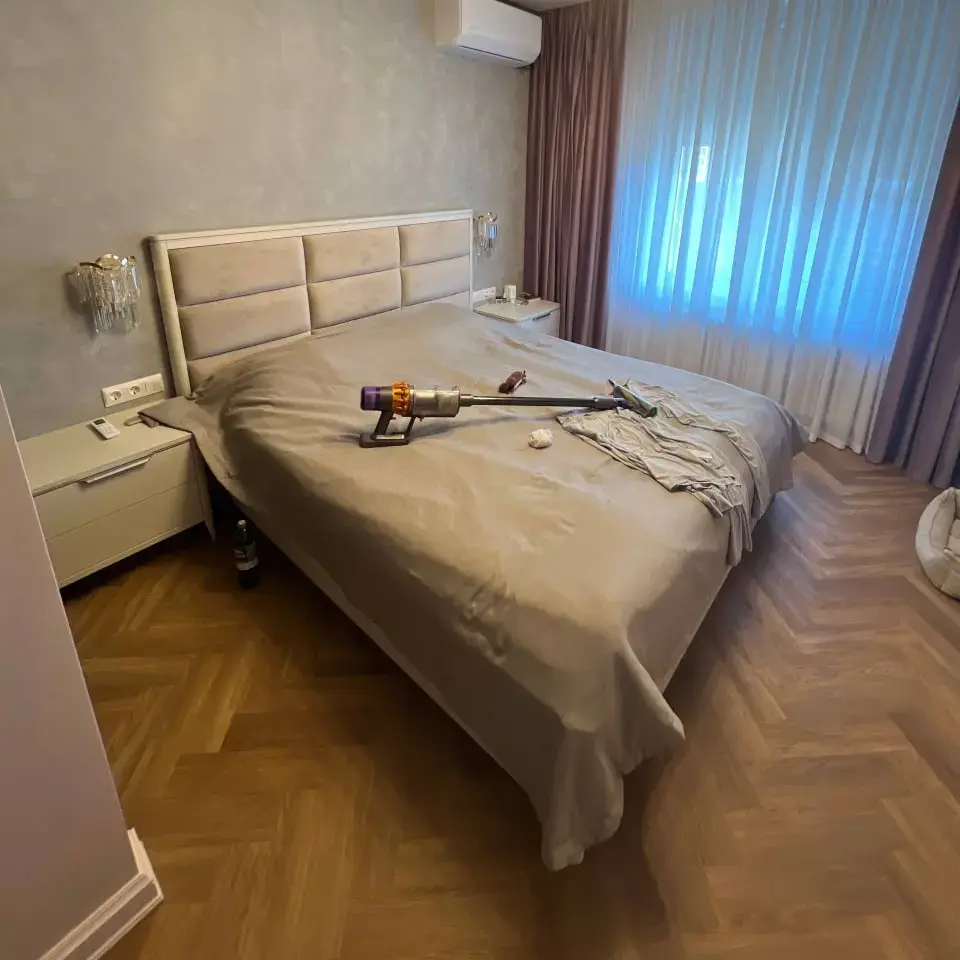
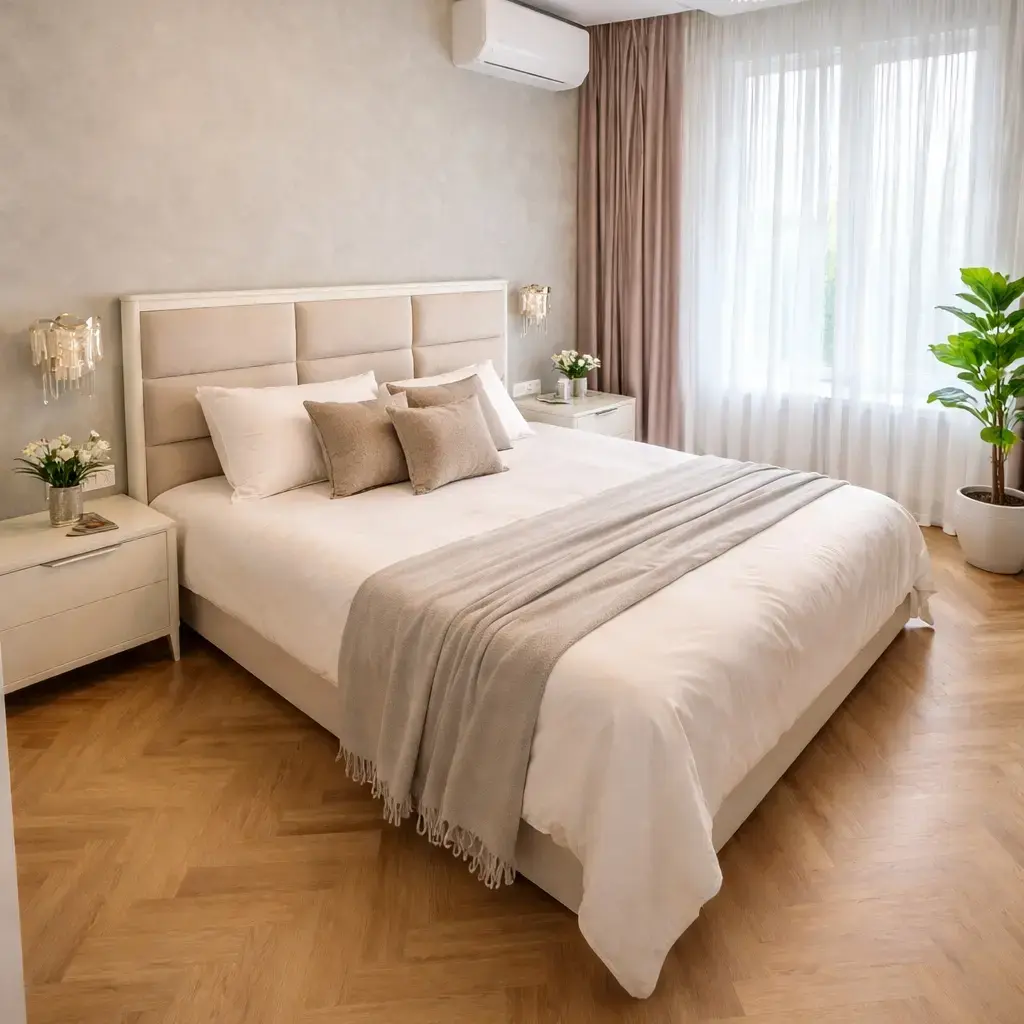
How do you virtually stage an empty room?
To virtually stage an empty room, upload a photo to an AI staging tool like Agent Lens. The AI detects the room type, analyzes dimensions and lighting, and places appropriately scaled furniture in a design style you choose. The process takes under 60 seconds and costs $0.10 per image. For best results, shoot from a corner in landscape orientation with good lighting.
Step-by-Step Guide
- 1
Take a landscape photo of the empty room from a corner angle
- 2
Upload the photo to Agent Lens Chrome extension
- 3
Select a design style (Modern, Farmhouse, Scandinavian, etc.)
- 4
Download your staged photo in under 60 seconds
- 5
Label as "Virtually Staged" before uploading to MLS
Tips for Photographing Empty Rooms
Better input photos produce dramatically better staging results. Follow these four guidelines.
Shoot from the Corner
Position yourself in the corner of the room to capture the widest angle. This gives the AI more space to work with and produces more natural-looking staging results.
Maximize Natural Light
Open all blinds and curtains. Turn on overhead lights. Bright, well-lit photos produce dramatically better AI staging results than dim or shadowy shots.
Use Landscape Orientation
Always shoot horizontally. Landscape photos show more of the room and give the AI better context for furniture placement and proportion.
Clear the Room Completely
Remove boxes, cleaning supplies, and personal items. Agent Lens works best with truly empty rooms — any remaining items may conflict with AI-placed furniture.
Stage Any Empty Room Type
Living Room
The highest-impact room for staging. Sofas, tables, rugs, and decor.
Bedroom
Beds, nightstands, and textiles that make the space feel livable.
Kitchen
Bar stools, pendant lights, and countertop accessories.
Dining Room
Tables, chairs, centerpieces, and ambient lighting.
Home Office
Desks, shelving, and ergonomic furniture for remote workers.
Bathroom
Towels, accessories, and spa-like touches.
Stage Your Empty Rooms Today
Upload a photo of any empty room and see the AI transformation in 60 seconds. 10 free credits included.
Empty Room Staging FAQ
Can I virtually stage a completely empty room?+
Yes. Agent Lens is specifically designed for empty rooms. The AI analyzes the room's dimensions, natural light, and architectural features, then places appropriately sized furniture and decor. Empty rooms actually produce the best staging results because there are no existing items to conflict with AI-placed furniture.
What type of empty room photos work best for virtual staging?+
The best photos for virtual staging are: landscape orientation (horizontal), shot from a corner to show maximum space, well-lit with natural light, and truly empty (no boxes or cleaning supplies). Smartphone photos work fine — you don't need a professional camera. Resolution of 1080p or higher is recommended.
How does AI staging handle vacant homes with no furniture at all?+
Agent Lens treats each room independently. Upload photos of each empty room, select a consistent design style across all rooms, and stage them individually. For a typical vacant home with 5-8 rooms, the total cost is $0.50-0.80 and the process takes about 10 minutes. The AI maintains style consistency so all rooms feel cohesive.
Should I virtually stage every room in a vacant home?+
At minimum, stage the living room, master bedroom, and kitchen — these are the three rooms buyers focus on most. For the strongest listing, stage all rooms including dining room, home office, and guest bedrooms. At $0.10 per image, staging every room costs under $1 total, making it a no-brainer for any vacant listing.
Can virtual staging make a small empty room look bigger?+
Yes. The AI selects appropriately scaled furniture that fits the room's proportions. Lighter design styles (Scandinavian, Coastal, Modern) with minimal furniture tend to make small rooms appear more spacious. The AI also avoids overcrowding — it places fewer pieces in smaller rooms to maintain visual flow.