

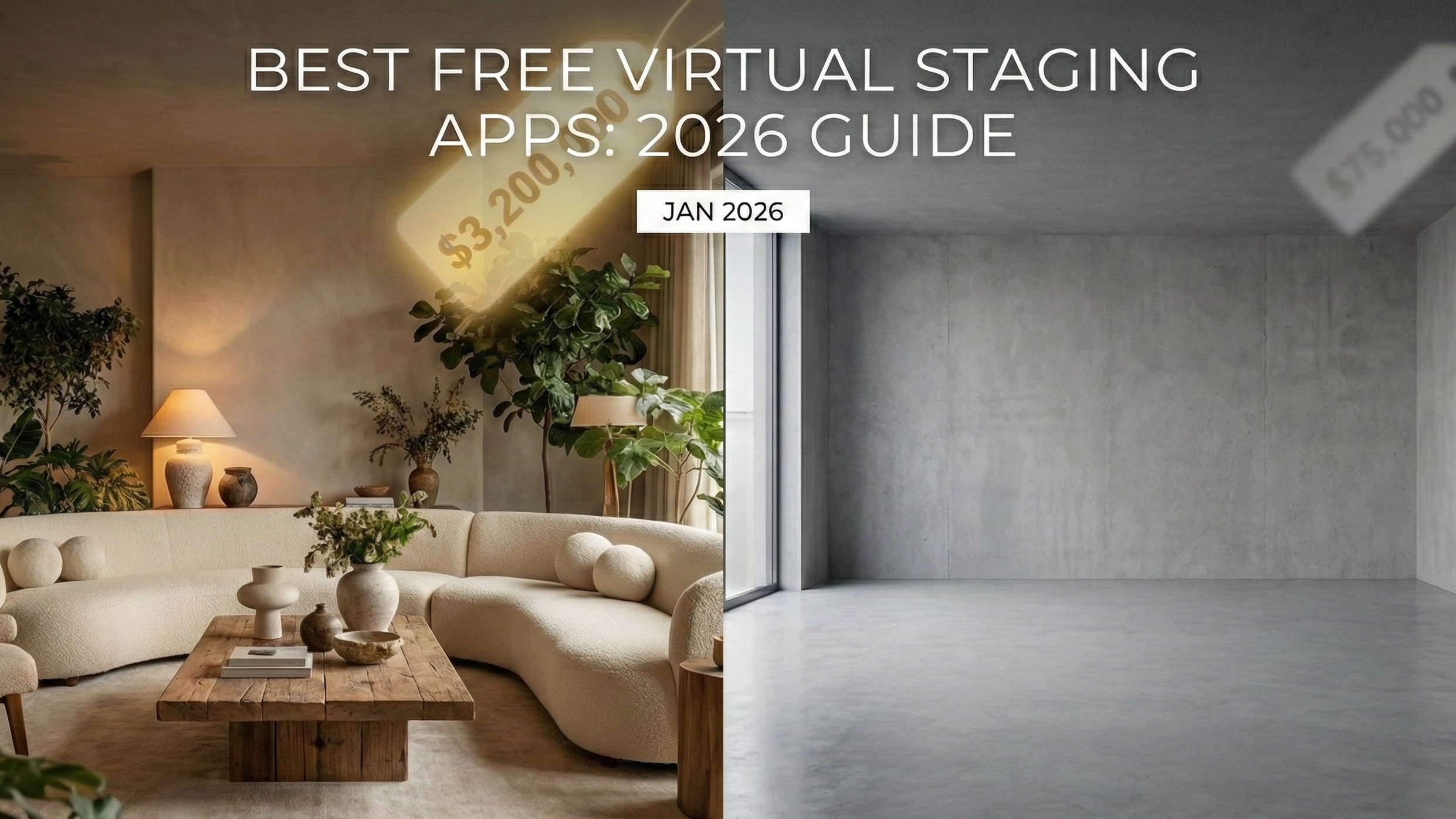
Stop paying $1,500 to rent a beige sofa.
In 2026, the difference between a "sold" listing and a stale one is often a single photo. We know the stats: staged homes sell 87% faster. But traditionally, that meant dragging heavy furniture up three flights of stairs or paying a staging company a $2,000 retainer.
Those days are over. The "AI Staging" revolution has dropped the cost of a magazine-quality photo from hundreds of dollars to literally pennies.
But here's the problem: not all tools are created equal. Some apps create stunning interiors in seconds; others leave you with floating chairs and three-legged tables.
We tested the top players—from bulk generators like Virtual Staging AI to precision tools like Apply Designand the emerging powerhouse Agent Lens—to find out which one actually helps you close the deal.
Quick Comparison: Top Staging Tools at a Glance
We graded these tools based on speed, cost, and "listing-readiness."
App Name | Price (Per Image) | Free Offer | Turnaround | Best For |
|---|---|---|---|---|
Agent Lens | $0.10 | 3 Free Photos | 30 Seconds | Agents who want speed & quality |
Virtual Staging AI | ~$0.28* | Unlimited (Watermarked) | 15 Seconds | Bulk investors / Rental units |
Apply Design | ~$7.00 | First Image Free | 15-20 Mins | Control freaks & DIY designers |
BoxBrownie | $24.00 | Sign-up Edit Credits | 24 Hours | Luxury listings requiring human touch |
ReimagineHome | Subscription | Limited Trial | 1 Minute | Fixer-upper renovation ideas |
*Price based on subscription models.
1. Virtual Staging AI: The "Spray and Pray" Solution
If you have 50 rental units to list by tomorrow morning, Virtual Staging AI is your engine. Developed at the Harvard Innovation Lab, this tool prioritizes speed over everything else.
The Pros:
It is incredibly fast. You upload a photo, and 15 seconds later, you have a room. Their algorithm is aggressive—it will fill empty voids with furniture statistically likely to appeal to the average eye.
The Cons:
Speed comes at a cost. The AI operates like a "black box"—you have zero control. If it puts a bed over a doorway, you can't move it; you have to regenerate the entire image. Users frequently complain about the "uncanny valley" effect, where lighting shadows don't quite match the windows or a sofa leg disappears into the carpet.
The "Free" Catch:
Their free trial is an unlimited sandbox, but you cannot download usable images. Every download is heavily watermarked, rendering it useless for the MLS unless you pay.
2. Apply Design: The Control Freak’s Dream
For agents who actually enjoy playing interior designer, Apply Design offers a hybrid approach. It’s not pure AI; it’s a drag-and-drop editor powered by AI smarts.
The Pros:
You are in the driver's seat. You can rotate a sofa 15 degrees, swap a rug, or change the scale of a lamp. This solves the "floating furniture" problem common in cheaper apps. Their "First Image Free" offer is legit—you get one high-resolution, unwatermarked download to test the service.
The Cons:
It’s slow. Expect to spend 15-20 minutes tweaking a single room. If you’re busy showing houses, you don't have time to fiddle with virtual cushions. Plus, at $7 to $10 per image after the trial, it gets expensive fast.
3. BoxBrownie: The Expensive Safety Net
BoxBrownie isn't an app; it's a service. You upload photos, and real human editors (augmented by AI) do the work.
The Pros:
Reliability. Humans catch mistakes that robots miss. They ensure reflections in mirrors are accurate and that shadows fall naturally. For a $3M listing, this quality assurance is often worth the premium.
The Cons:
It is painfully slow by 2026 standards (24-hour turnaround) and expensive ($24 per image). Their free offer is usually limited to "Image Enhancement" or a "Day-to-Dusk" edit, not full virtual staging.
4. Agent Lens: The New Standard for Smart Agents
Here is where the market is shifting. Agent Lens has disrupted the space by existing right where you work: in your browser.
Unlike the others that require you to download photos, upload them to a separate website, wait, and re-download, Agent Lens is a Chrome extension. It works directly on the images you’re viewing or uploading to your MLS or CRM.
Why It’s Winning:
Start for Free: You get 3 high-quality renders on the house to prove it works. After that, the 'Pro' cost is practically free at just $0.10 per image. That is 99% cheaper than BoxBrownie and 50% cheaper than the budget competitors.
Curated Trends: It doesn't just dump furniture in a room. It uses specific design styles aligned with 2026 trends.
Workflow Speed: It processes images in 30-60 seconds without you leaving your tab.
The "Secret Weapon" Modes
Agent Lens isn't just for empty rooms. It has specialized modes that solve specific agent headaches:
Virtual Declutter: Got a seller who refuses to clean up their messy living room? This mode wipes the clutter but keeps the main furniture, saving you an awkward conversation.
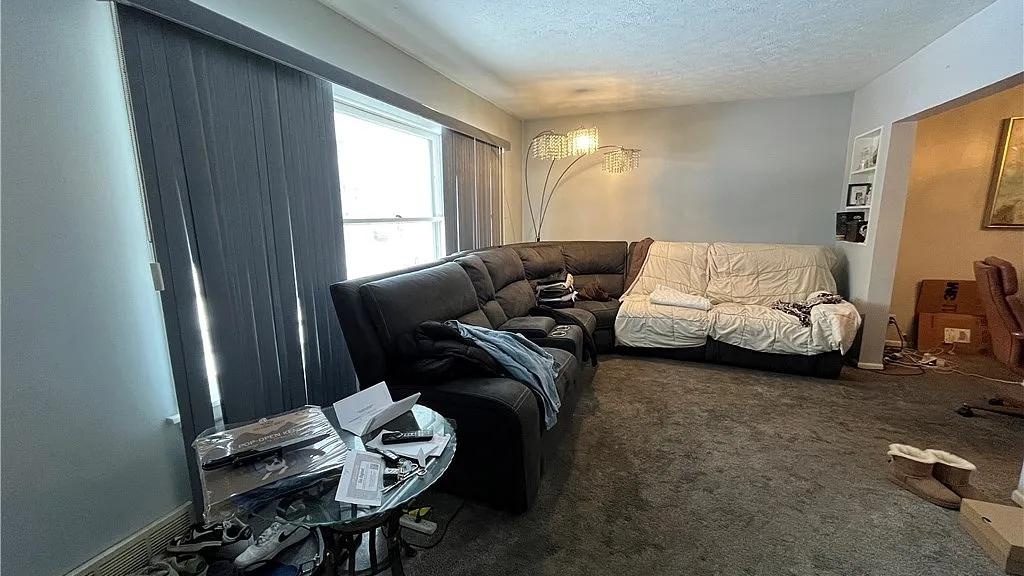
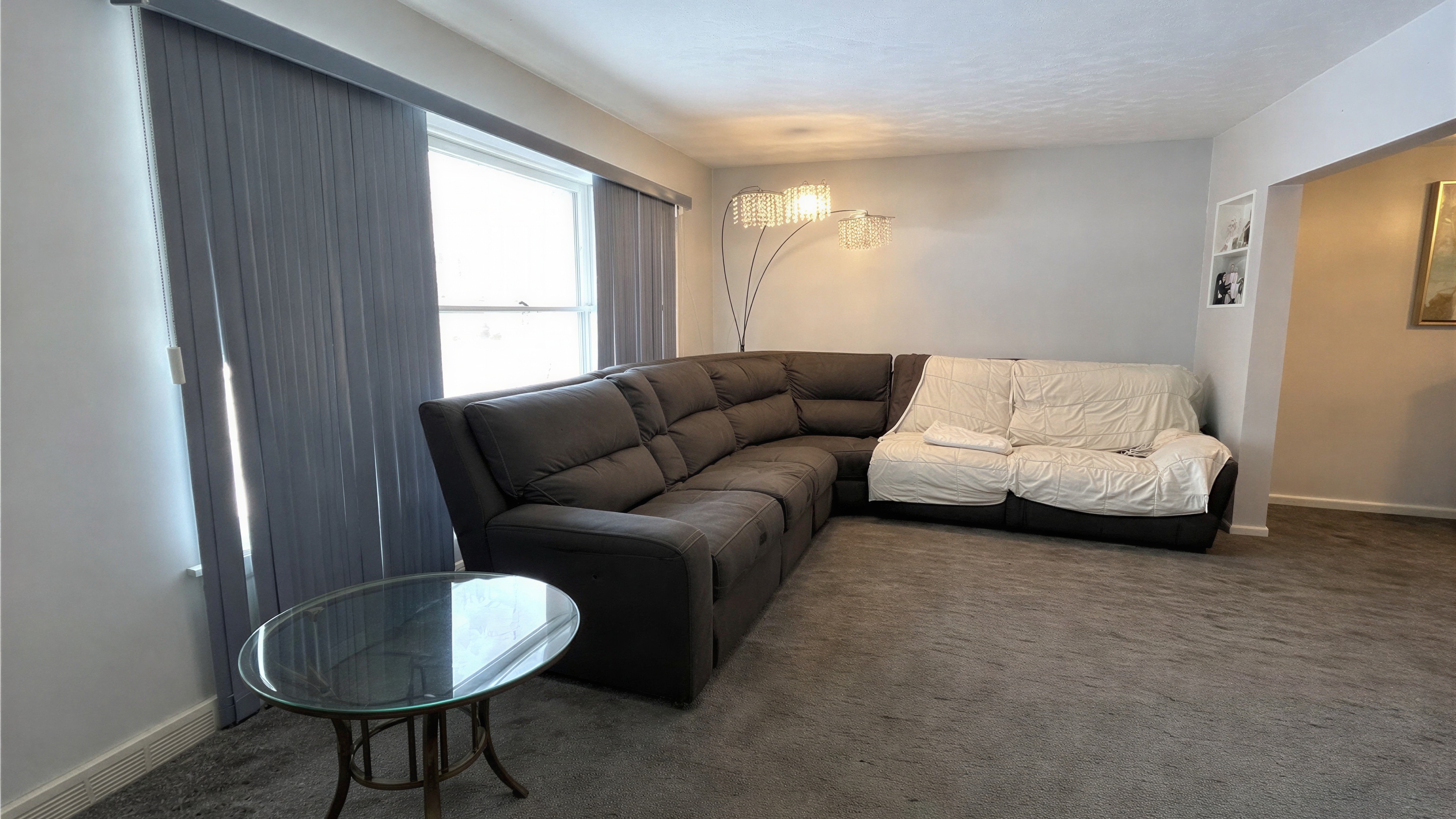
Magic Eraser - Empty Room: Perfect for "virtual open houses." Take a photo of a tenant-occupied room, wipe it clean digitally, and then stage it.
Curb Appeal Pro: It fixes the sky and greens the grass without making the house look fake.
Pro Tip: For a 2026-ready look, try the Organic Modern style (think warm neutrals and boucle textures) or the Warm Maximalism style for high-end, moody library spaces.
Install Agent Lens Extension – Get 3 Free Credits
5. ReimagineHome: The Renovator
ReimagineHome is less about staging and more about possibility. It allows you to visualize structural changes—new floors, painted walls, or or different ceilings.
The Pros:
Great for investment properties or "fixer-uppers" where you need to show buyers what could be.
The Cons:
Ethical gray areas. NAR rules are strict: you cannot misrepresent a property. Changing the flooring digitally when the real house has dirty carpet is a recipe for a lawsuit unless explicitly disclosed. Use with extreme caution.
2026 Staging Trends You Can't Ignore
If you're using AI, don't just ask for "modern furniture." That’s how you get generic grey lobbies. To stop the scroll, your virtual staging needs to match what buyers see on TikTok and Pinterest.
Universal Khaki is King: Sherwin-Williams named "Universal Khaki" the 2026 Color of the Year. It’s a warm, earthy neutral that replaces the cold greys of 2024. Use Agent Lens's Organic Modern mode to hit this vibe automatically.
Biophilic Design: Buyers want plants. Not just a pot in the corner, but "living" spaces.
Neo-Deco: Think curved sofas and walnut wood accents. This pairs perfectly with the Mid-Century Modern mode available in better AI tools.
The Verdict: Why We Recommend Agent Lens
We’ve looked at the data, the costs, and the workflows. For the vast majority of residential real estate agents, Agent Lens is the clear winner for three reasons:
The "No-Brainer" Price: At $0.10 per image, you can afford to stage every room in every listing, not just the luxury ones.
The Browser Workflow: Being able to stage photos directly inside your browser saves hours of admin time per week.
Specific Styles: The ability to toggle between Modern Farmhouse and Mid-Century Modern with a click allows you to tailor the listing to your specific buyer demographic.
The Math is Simple:
Physical Staging: $1,500+
BoxBrownie: $24
Agent Lens: $0.10
The barrier to entry is gone. You no longer need a degree in interior design or a massive marketing budget to make a listing look like Architectural Digest.
Ready to upgrade your marketing?
Free Real Estate Tools
Explore our free calculators and AI tools for agents:
Transform Your Listings with AI
Apply professional virtual staging and enhancements in seconds. Start transforming your listings today.
Explore Virtual Staging Options
Start with our most popular room & style combinations: