

AI-Powered Virtual Furniture Removal for Real Estate
Remove existing furniture from listing photos instantly using AI. Perfect for occupied homes where current furnishings don't match the target buyer aesthetic. Get clean, empty-room photos ready for virtual staging in seconds.
How It Works
Upload Your Photo
Upload a photo of a furnished room directly from your MLS listing or phone camera.
AI Removes Furniture
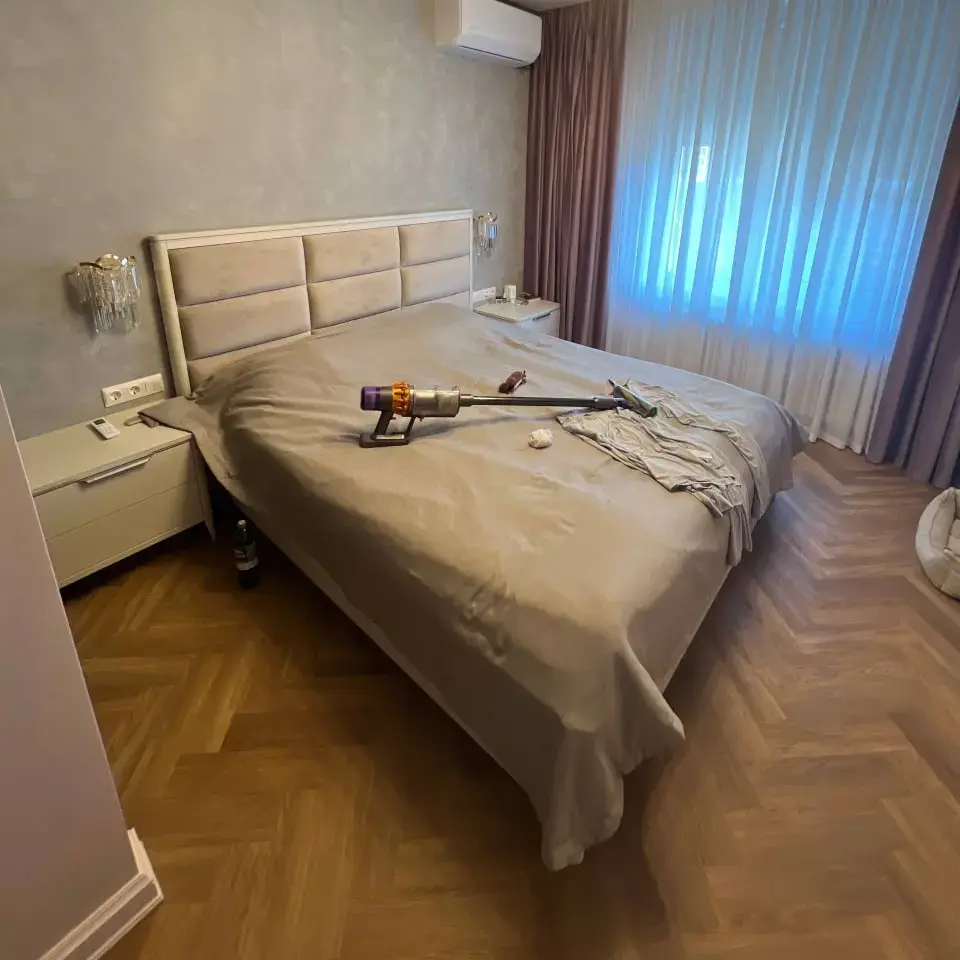
Our AI analyzes the room, identifies furniture and personal items, and cleanly removes them — filling in floors, walls, and backgrounds automatically.
Download or Re-Stage
Download the empty-room photo or immediately apply virtual staging with your preferred design style.
Use Cases
Occupied Home Listings
Remove the seller's outdated or cluttered furniture to show the room's potential. Then re-stage with modern, buyer-appealing furniture.
Tenant-Occupied Properties
Investment properties with tenant furniture that doesn't photograph well. Remove and re-stage without disrupting the tenant.
Estate & Probate Sales
Homes with decades of accumulated belongings. Virtually clear the space to help buyers see past the clutter.
Pre-Renovation Marketing
Show what a room could look like empty before renovation begins. Helps buyers and investors visualize potential.
Benefits
About Virtual Furniture Removal
Imagine walking into a beautifully staged home, only to be overwhelmed by bulky furniture that shrinks the space and obscures its potential. This is the daily reality for countless prospective buyers, and the frustration for real estate agents in the Greater Toronto Area is palpable. Sellers often resist the expense and upheaval of physically removing furniture, leaving agents scrambling to showcase properties burdened by unwanted items. This is where Agent Lens's **virtual furniture removal** feature steps in – a revolutionary tool poised to transform how properties are presented and perceived, offering a seamless solution to a long-standing problem. Forget the endless negotiations with moving companies and the stress of staging; this feature empowers agents to unlock the true potential of every listing.
Essentially, the process is remarkably simple. Agents begin by uploading high-quality photos of the property to the Agent Lens platform. Within the intuitive interface, select the **furniture removal** feature and highlight the specific items you wish to eliminate. Our proprietary **AI furniture removal** technology then kicks in, intelligently analyzing the image and removing the selected items, seamlessly replacing them with realistic, digitally rendered flooring, walls, and other architectural details. What sets our AI apart is its ability to understand context, ensuring that the resulting image maintains accurate perspective, lighting, and shadows. The finished product is a stunningly realistic representation of the space, free from clutter and ready to captivate potential buyers.
Consider the scenario of a cramped condo unit in downtown Mississauga. A dated sectional sofa dominates the living room, making it appear smaller and less appealing. By utilizing Agent Lens's **virtual furniture removal** feature, the agent can instantly transform the space, showcasing the true dimensions of the room and allowing buyers to visualize their own furniture arrangements. This simple act can dramatically increase buyer interest, reduce days on market, and ultimately lead to a higher sale price. The impact extends beyond aesthetics; it's about empowering buyers to see themselves living in the space, fostering an emotional connection that drives offers. Before, the listing languished; after, it generated immediate buzz and multiple showings.
Frankly, traditional solutions, such as physical staging or professional photo editing, pale in comparison to the speed, affordability, and convenience of our AI-powered approach. Staging involves significant upfront costs, including furniture rental, delivery, and setup. Professional photo editing can be time-consuming and expensive, often requiring multiple revisions to achieve the desired result. Agent Lens's **AI furniture removal** offers a cost-effective and efficient alternative, delivering stunning results in minutes, not days. This means agents can quickly update listings, experiment with different layouts, and tailor presentations to specific buyer preferences. This flexibility is simply unmatched by traditional methods.
Finally, to ensure you achieve the best possible results with Agent Lens's **virtual furniture removal**, pay close attention to the quality of your input photos. Clear, well-lit images with good resolution are essential for the AI to accurately analyze the space and seamlessly remove furniture. Experiment with different angles and lighting conditions to capture the room in its best light. Remember to clearly define the items you want removed within the Agent Lens interface. By following these simple guidelines, you can unlock the full potential of this powerful feature and transform your listings into buyer magnets.
Getting the Most from This Feature
Optimal Input Photo
For best AI results, use photos with a minimum resolution of 2000x3000 pixels. Ensure the room is well-lit, avoiding harsh shadows or overexposure. Capture the entire space from multiple angles. Avoid blurry images or those with extreme distortion. The clearer the input photo, the more realistic and seamless the furniture removal will be.
Client Presentation
Showcase before-and-after photos side-by-side to highlight the transformative power of the feature. Walk clients through the process, explaining how Agent Lens's AI can help buyers visualize the potential of the property. Emphasize the cost and time savings compared to traditional staging methods. Position it as a cutting-edge marketing tool that sets you apart from the competition.
Workflow Integration
Incorporate virtual furniture removal at the beginning of your listing process, immediately after professional photos are taken. Create both furnished and unfurnished versions of listing photos for use across different marketing channels. Use the feature to quickly update listings as needed, responding to buyer feedback and market trends. Automate the entire process by integrating Agent Lens with your existing CRM and marketing platforms.
Before/After Strategy
Use before-and-after comparisons in all your marketing materials, including listing photos, social media posts, and virtual tours. Create dedicated before-and-after sections on your website to showcase the feature's capabilities. Run targeted ad campaigns highlighting the transformative power of virtual furniture removal. Track the performance of listings that utilize the feature to demonstrate its ROI to potential clients.
Try Virtual Furniture Removal Free
Transform empty rooms into stunning staged photos in 60 seconds.

Frequently Asked Questions
Can AI really remove furniture from photos?
Yes. Modern AI models are trained on millions of interior images and can identify and remove furniture, decor, and personal items while reconstructing the underlying room — floors, walls, windows, and architectural details — with photo-realistic accuracy.
How much does virtual furniture removal cost?
Agent Lens offers furniture removal starting at $0.10 per image. Traditional furniture removal (physical) costs $500-2,000+ including movers and storage. Virtual removal is 5,000x cheaper.
Will the result look natural?
Yes. The AI reconstructs the room behind the furniture including flooring patterns, wall textures, baseboards, and natural lighting. Results are indistinguishable from actual empty-room photos in most cases.
Can I stage the room after removing furniture?
Absolutely. Most agents use furniture removal as the first step before applying virtual staging. Remove the old furniture, then add new, buyer-appealing furniture in your chosen design style.
Other AI Features
Virtual Exterior Paint Visualizer
Instantly preview how a home would look with different exterior paint colors. Help sellers make paint decisions and show buyers the potential of a property — all without picking up a brush.
Learn moreVirtual Item Removal
Selectively remove unwanted items from listing photos — pet bowls, laundry baskets, trash cans, personal items, wall damage, and more. Clean up photos without a physical visit.
Learn moreVirtual Sky Replacement
Replace overcast, dull, or stormy skies with beautiful blue skies and golden sunsets. Dramatically improve curb appeal photos without waiting for perfect weather.
Learn moreVirtual Lawn Enhancement
Transform brown, patchy, or dormant lawns into lush, green landscapes. Enhance landscaping, add greenery, and boost curb appeal in listing photos instantly.
Learn moreVirtual Decluttering
Digitally declutter occupied homes for listing photos. Remove excess items, organize spaces, and present a clean, spacious environment that attracts buyers — without asking sellers to clean up.
Learn more