

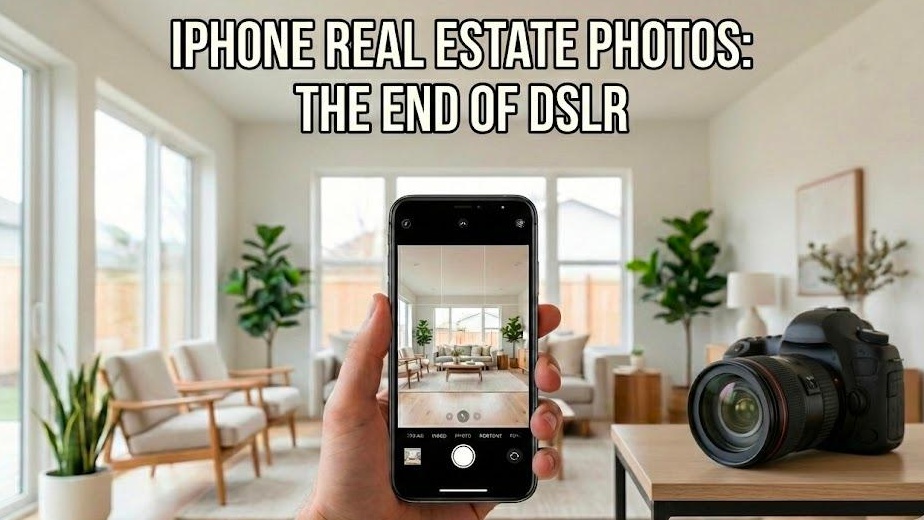
Stop me if you’ve heard this one: You have a new listing, the seller wants it live yesterday, and your photographer can’t make it until next Tuesday. In the past, that was a crisis. In 2025, it’s an opportunity.
First impressions are everything. The "digital front door" isn't just a buzzword; it's the only door that matters. If your photos look amateur, buyers won't even bother to click. But here’s the problem: most agents think they need a $4,000 camera rig to get professional results.
We’re here to tell you that’s not true.
You don't need a heavy DSLR anymore. You just need the device already in your pocket—your iPhone—and a smart workflow. In this guide, we’ll show you exactly how to configure your phone, which tools are actually worth your time, and how to use AI to turn a "just okay" photo into a high-end listing that sells.
1. The Cheat Sheet: Pro iPhone Settings for Real Estate
Before you even step into a house, you need to fix your settings. Your iPhone is a powerful computer, but the factory defaults are designed for selfies, not architecture.
Enable ProRAW MAX (48MP)
If you have an iPhone 14 Pro or newer, you have a 48-megapixel sensor. By default, your phone "bins" photos down to 12MP to save space. For real estate, you need every pixel.
Action: Go to Settings > Camera > Formats and turn on Apple ProRAW.
Action: Set the resolution to ProRAW MAX (Up to 48MP).
Why: This gives you the maximum detail in hardwood grains and countertop textures.
The Composition Helpers: Grid and Level
Straight lines are the difference between a professional photo and a "FSBO fail." Enable the Grid and the Level in your camera settings.
Grid: Helps you follow the "Rule of Thirds" for better balance.
Level: A crosshair will appear in the center of your screen. When it turns yellow, your phone is perfectly level.
Turn Off "View Outside the Frame"
This feature shows you what the other lenses see outside your active shot. While it looks cool, it’s a distraction and can sometimes mess with your focus. Turn it OFF in your camera settings to stay focused on your actual composition.
2. Composition Secrets: The "Belly Height" Rule
The most common mistake amateur photographers make is shooting from eye level. When you stand 6 feet tall and point your phone down, the walls look like they’re falling over. This is called "keystoning," and it makes a room feel cramped.
Shoot from the Hip
We recommend shooting from "belly height"—roughly 4 feet off the ground. This perspective keeps your vertical lines straight and makes furniture look more substantial. It balances the amount of ceiling and floor in the frame, creating a sense of natural space.
Choose the Right Lens
Your iPhone likely has three lenses. Here’s how to use them:
The Ultra-Wide (0.5x): Great for tiny bathrooms or massive yards. Warning: If you use this in a normal room, it will create a distorted "fish-eye" tunnel. Use sparingly.
The Main Lens (1x): This is your workhorse. It has the best optical quality and creates the most realistic, honest view of a home.
The Telephoto (3x/5x): Use this for "lifestyle" shots. Think of a close-up on a custom fireplace mantle or a high-end kitchen faucet.
3. Lighting: Mastering Smart HDR and Windows
Real estate photography is a battle against the sun. You want to see the beautiful room and the view out the window. Usually, the window is a bright white blob, or the room is a dark cave.
Use AE/AF Lock
Don't let the phone guess the exposure.
Tap and hold the screen on a mid-tone area (like a wooden table) until you see the yellow AE/AF LOCKbox.
Slide your finger up or down to adjust the brightness.
Why: This lets you brighten the shadows without "blowing out" the windows.
Smart HDR is Your Friend
Modern iPhones use Smart HDR to take multiple exposures and stitch them together instantly. This "window pull" effect used to take hours of manual editing in Photoshop. Now, your phone does it in 15 seconds.
Turn Every Light On
Natural light is best, so open all the blinds. But don't stop there. Turn on every overhead light, lamp, and under-cabinet LED. It adds warmth and eliminates dark, spooky corners.
4. Apps vs. Reality: Why Most Tools Fail
There are hundreds of photo apps in the App Store, but many are more trouble than they're worth. Avoid "Filter" apps like Instagram or VSCO—they alter colors and make wood floors look orange.
For actual photo editing, we recommend sticking to Adobe Lightroom Mobile.
The Free Version: Great for basic exposure and color correction.
The Premium Version ($4.99/mo): Unlocks the Geometry tool. This tool is a lifesaver for fixing crooked walls with one tap.
5. The Secret Weapon: Agent Lens Virtual Staging
Your iPhone can take a great photo, but an empty room is still just an empty room. Buyers lack imagination. Data from 2025 shows that staged homes sell up to 3 times faster than vacant ones.
But physical staging is expensive, costing between $1,500 and $5,000 per property. That’s where Agent Lens comes in.
Agent Lens is a Chrome extension that uses AI to transform your real estate photos in seconds. It allows you to add high-end furniture to your iPhone shots without needing to learn complex software.
An empty living room transformed with the 'Warm Maximalism' style in 10 seconds.
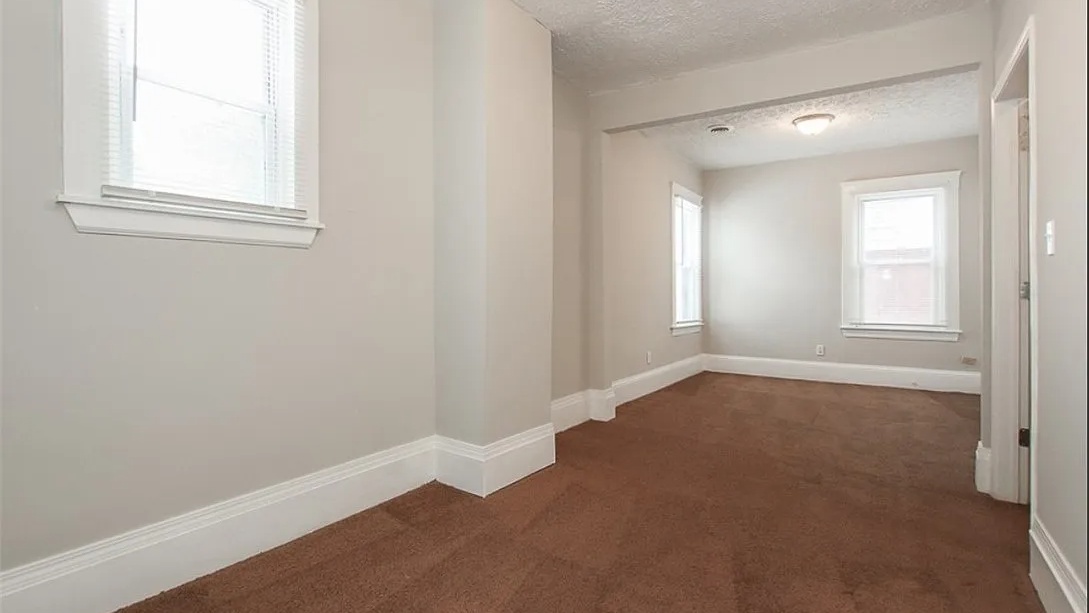
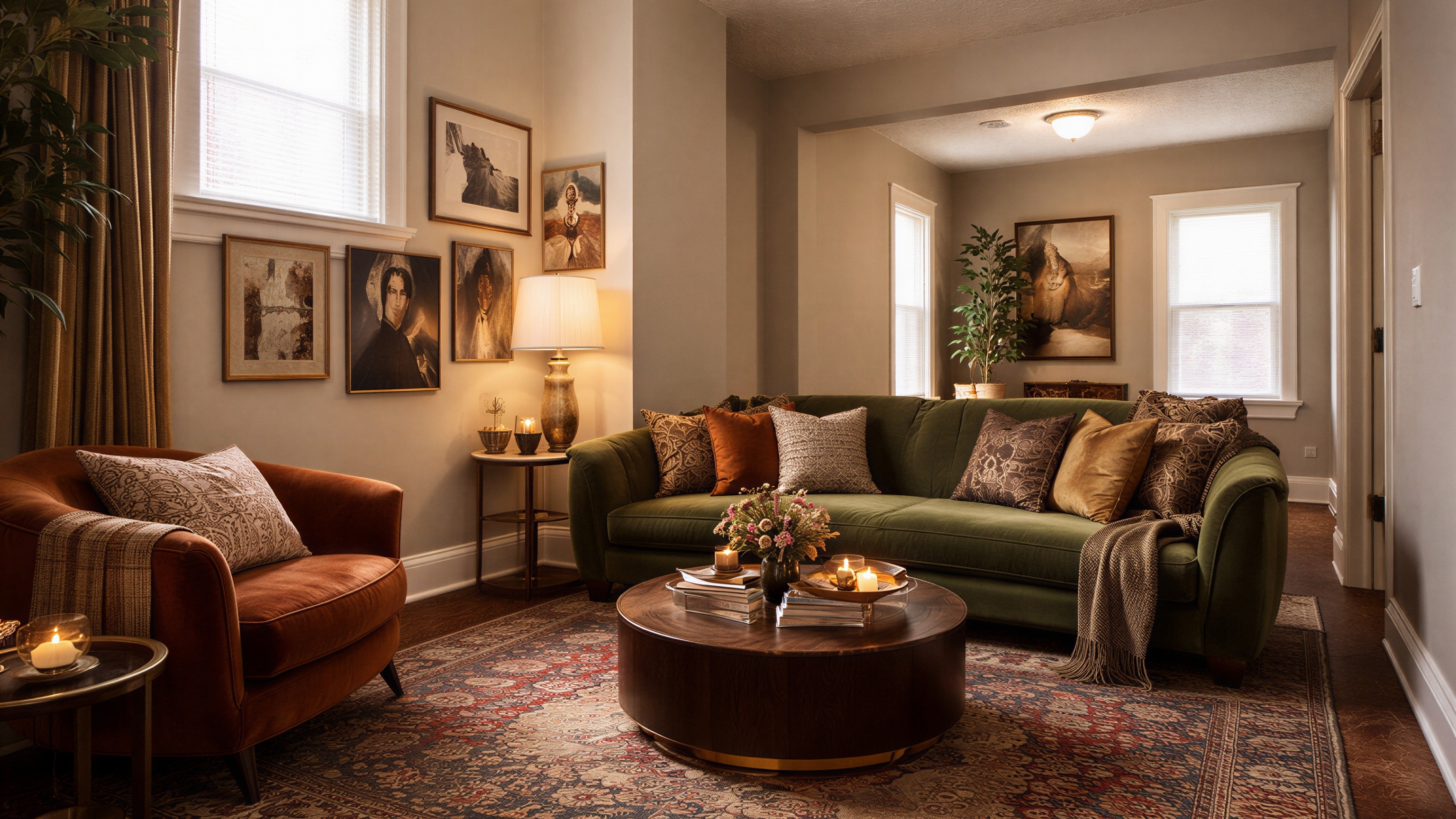
Use the Exact Styles Your Buyers Want
Agent Lens offers 11 specific processing modes to match your target market:
Virtual Staging Styles:
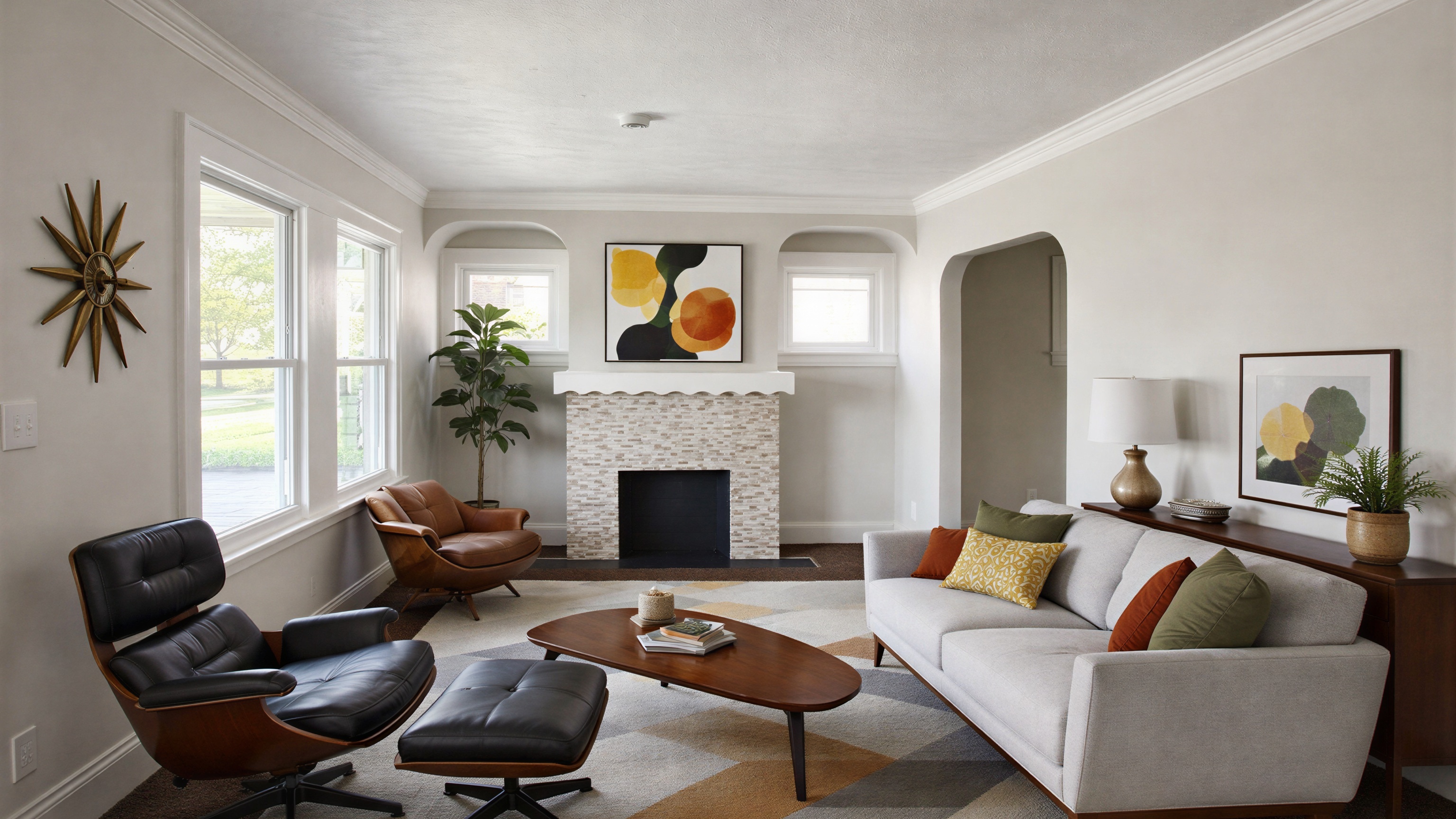
Organic Modern: Think Japandi. Earth tones, linen, and minimalist vibes.
Mid-Century Modern: Iconic walnut woods and tapered legs.
Modern Farmhouse: The classic "Fixer Upper" look buyers love.
Warm Maximalism: Moody luxury with velvet and deep colors.
Mid-Century Modern & Organic Modern
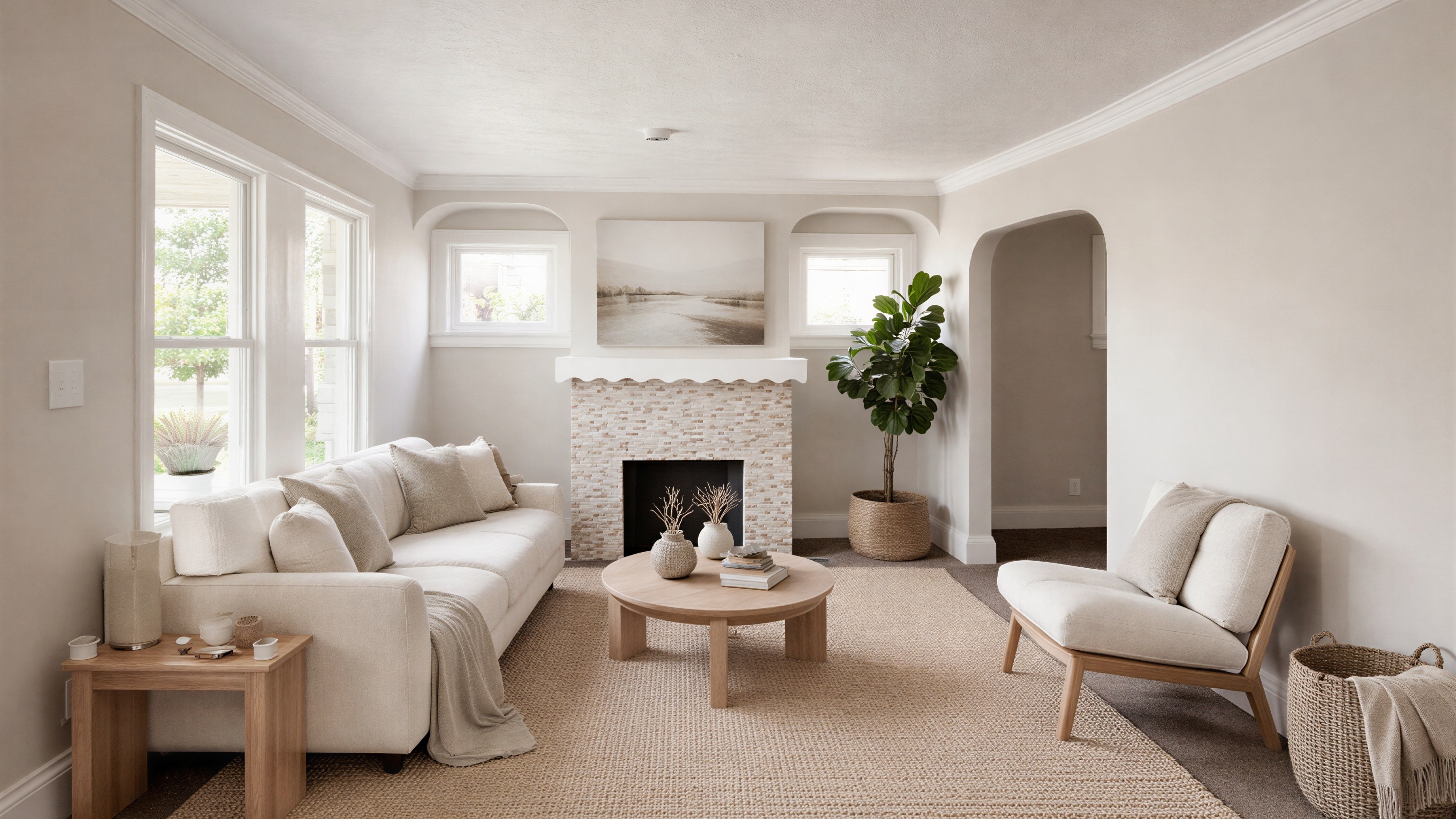
Functional Tools:
Classic Mode: Universal enhancement—boosts saturation by 15-25% and cleans up lighting.
Virtual Declutter: Perfect for occupied homes. It keeps the furniture but removes the piles of mail and laundry.
Curb Appeal Pro: Fixes the sky and greens the grass (but doesn't change the architecture).
Magic Eraser (Empty Room): Wipes the slate clean for a blank canvas demo.
Virtual Renovations:
Kitchen Remodel: Swaps counters to quartz and repaints cabinets.
Interior Renovation: Installs hardwood floors and removes dated wallpaper.
Exterior Makeover: A full facade transformation.
Want to test this? Agent Lens offers 3 free credits on signup—no credit card required.
6. The 5-Step Workflow: From iPhone to MLS
You don't need a complicated system. Follow this workflow for a listing-ready house in under an hour:
Prep and Shoot: Open the blinds, turn on the lights, and snap your photos using the "Belly Height" rule.
Cloud Sync: Let your photos sync to iCloud or Google Photos.
Open Agent Lens: On your computer, open your browser and access your photos.
Stage with AI: Use Agent Lens's Virtual Staging mode to add furniture. For an empty living room, try "Organic Modern."
Download and List: Save your staged images and upload them to the MLS.
Staging Comparison Table (2025 Data)
Feature | Physical Staging | Traditional Virtual | Agent Lens |
|---|---|---|---|
Cost | $1,500 - $5,000 | $29 - $75 per photo | **$0.10 - $0.33 per photo** |
Turnaround | 7 - 14 Days | 24 - 48 Hours | 8 - 15 Seconds |
Flexibility | Fixed furniture | 1-2 revisions | Unlimited variations |
Effort | High (Logistics) | Medium (Back & Forth) | Low (Instant AI) |
7. When to Call a Pro
Is the iPhone enough? Usually, yes. But if you’re listing a $5 million estate with complex lighting or need a full Matterport 3D scan, it might be time to hire a professional. However, for the vast majority of residential listings, the combination of iPhone photography + Agent Lens AI is a budget-friendly powerhouse.
The Bottom Line
The "Hybrid Agent" of 2025 isn't the one with the most expensive gear; it's the one with the fastest workflow.
By mastering your iPhone settings and leveraging Agent Lens, you aren't just saving marketing dollars—you are buying back your time. You can now shoot, edit, stage, and list a property in the time it used to take just to book a photographer.
Ready to upgrade your marketing?
Free Real Estate Tools
Explore our free calculators and AI tools for agents:
Transform Your Listings with AI
Apply professional virtual staging and enhancements in seconds. Start transforming your listings today.
Explore Virtual Staging Options
Start with our most popular room & style combinations: