

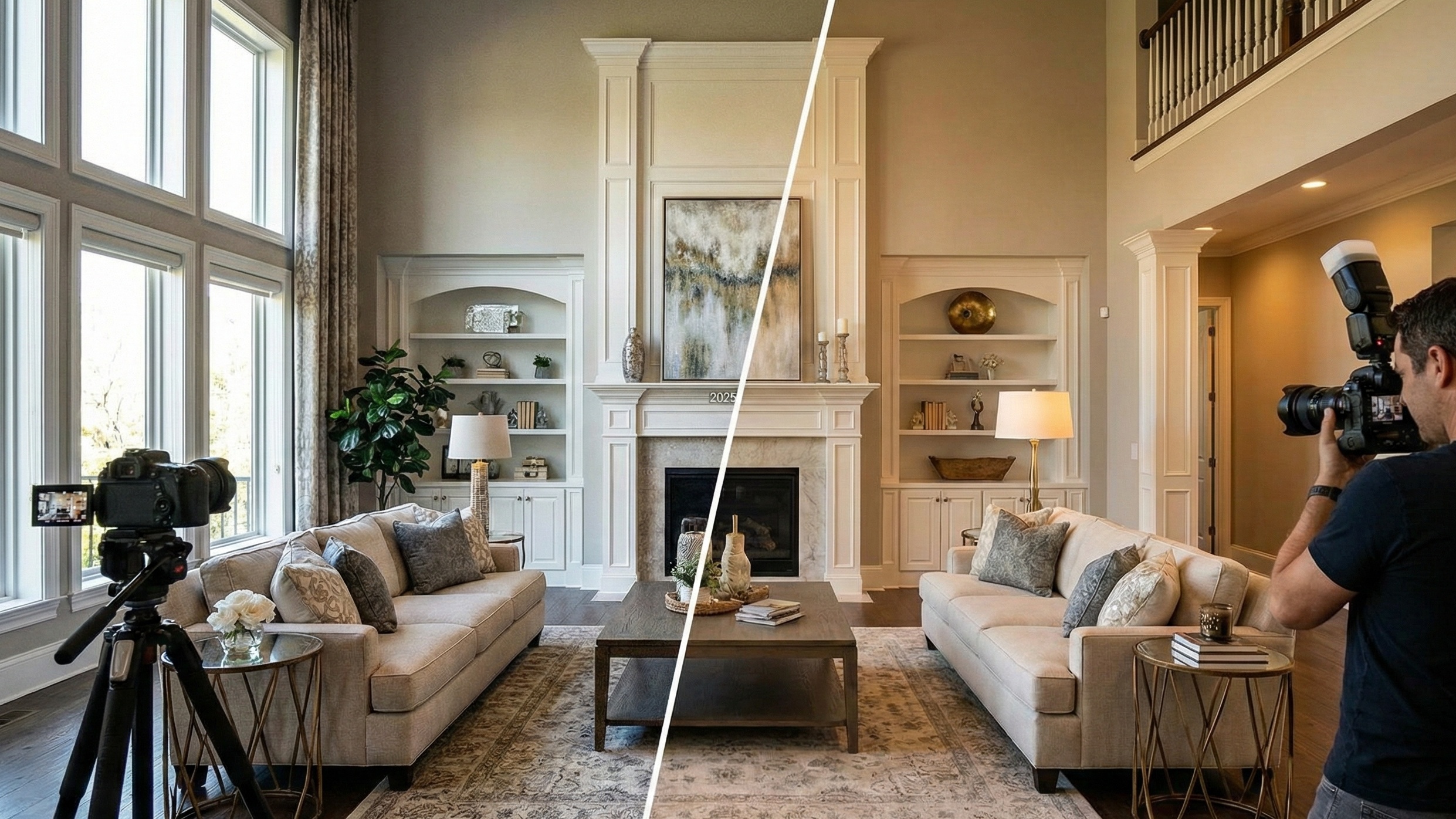
Introduction: The Battle for the Scroll
Buyers spend milliseconds on a cover photo before deciding to click or skip. If your listing looks dark, muddy, or "fake," you haven't just lost a view—you've lost the lead. You are likely here because you’re tired of the debate: Do you use HDR (fast, cheap, but often ugly) or Flambient (beautiful, expensive, and slow)?
For years, agents had to choose between speed and quality. But in 2026, a third option has emerged that changes the ROI calculation entirely. Here is the honest breakdown of the HDR vs. Flambient war, and how to win it without going broke.
1. The Core Conflict: Speed vs. Quality
The visual economy has shifted. In 2026, "good enough" gets you scrolled past.
HDR (High Dynamic Range) is the industry workhorse. It’s the "McDonald’s" of real estate photography—consistent, scalable, and automated.
Flambient (Flash + Ambient) is the craftsman approach. It involves manual lighting, complex blending, and creates that "luxury magazine" look.
The industry is fighting a civil war between these two methods because the incentives for agents and photographers are often misaligned.
The Stakeholder's Dilemma
Stakeholder | The Problem | The Incentive |
|---|---|---|
The Agent | Needs premium photos to justify commission but has a limited marketing budget per listing. | Wants Flambient quality at HDR prices. |
The Photographer | Needs to maximize revenue per day. Flambient takes 2x longer on-site, cutting daily volume in half. | Wants to shoot HDR for volume but fears losing high-end clients to "better" photographers. |
The Homeowner | Emotional attachment. Sees "muddy" shadows or orange casts as a misrepresentation of their home. | Demands perfection regardless of the package purchased. |
2. The Physics of Light: Why Your Camera Fails You
To understand why we need these techniques, you have to look at the physics. Cameras lack the dynamic range of the human eye. They cannot naturally see the details in a dark living room and a bright window simultaneously.
The second, and more annoying problem, is Color Temperature. Light sources clash, creating the "muddy" look common in amateur photos.
The Color War:
Tungsten Bulbs (Lamps): ~2700K (Deep Orange)
Daylight (Windows): ~5500K (Blue/White)
Shadows: ~7000K (Very Blue)
Your Camera: Confused. It tries to average them, resulting in grey, purple, or sick-yellow walls.
Both HDR and Flambient are essentially strategies to hack this limitation.
3. HDR Explained: The "Fast and Furious" Approach
HDR is the standard for 90% of MLS listings because it is scalable.
The Mechanics
Photographers use Auto Exposure Bracketing (AEB). They lock the camera down and fire 3 to 5 shots rapidly:
Underexposed: Captures the window view (room is black).
Middle: Captures the general room (windows blown out).
Overexposed: Captures shadow details (windows are white).
Software then merges these pixels.
The "Radioactive" Look
Because the computer merges pixels mathematically, not artistically, HDR often introduces artifacts that kill the "luxury" feel:
Nuclear Greens: Grass outside windows becomes neon saturation.
Halos: Glowing edges where dark window frames meet bright light.
Color Casts: This is the dealbreaker. The software blends the orange lamp light with blue window light, turning white cabinets into a beige/yellow mess.
4. Flambient Explained: The "Secret Sauce" of Luxury
Flambient is a manual craft. The photographer brings their own sun.
The Workflow
For every angle, the photographer shoots:
Flash Shot: A powerful strobe (Godox AD200/V1) is fired at the ceiling. This 5500K white light overpowers the orange lamps and blue shadows, forcing the sensor to record True Color.
Ambient Shot: Natural light only, to capture the mood.
Window Pull: A specific exposure for the view.
Why It Wins on Quality
Color Accuracy: White cabinets actually look white.
Texture: Directional flash reveals the grain in wood floors and the weave of sofas.
Crisp Views: No "ghosting" or grey haze in the windows.
The downside? It takes 60-90 minutes to shoot a home that HDR could capture in 30.
5. The "Window Pull": The Holy Grail of Views
If the listing description says "Views!", you cannot use automated HDR.
HDR Windows: Often look grey, hazy, or have "ghosting" artifacts if trees are moving outside.
Flambient Windows: The photographer manually "cuts" the window glass out in Photoshop and places the perfectly exposed view behind it. It looks like you are standing in the room.
Takeaway: If you have an ocean view or a mountain backdrop, Flambient is non-negotiable.
6. The Economics of the Shoot
The price difference isn't arbitrary; it's based on labor and equipment.
Cost Analysis
Item | HDR (Standard) | Flambient (Pro) |
|---|---|---|
Shoot Cost (Agent) | $150 - $250 | $300 - $600+ |
Shoot Time | 30-45 Mins | 60-90 Mins |
Processing Time | Fast (Automated) | Slow (Manual Layering) |
Best Use Case | Rentals, Fixer-Uppers, Volume | Luxury, "View" Properties, Magazines |
Recommended Gear Lists
HDR Setup (Entry Level)
Camera (Sony A7III / Canon R6): ~$2,000
Wide Angle Lens (16-35mm): ~$1,000
Tripod: ~$200
Total: ~$3,200
Flambient Setup (Pro Level)
Camera & Lens: ~$3,000
Lighting (2-3 Godox AD200s): ~$900
Triggers & Stands: ~$400
Total: ~$4,300+
7. The Post-Processing Nightmare
Here is the dirty secret: nobody likes editing. It is the bottleneck that stops photographers from scaling and keeps agents waiting.
The HDR Trap: "Automated" software still leaves color casts that require manual scrubbing.
The Flambient Marathon: Hand-blending layers in Photoshop takes 5-10 minutes per photo. A 40-photo shoot is a full day of editing.
Most pros outsource to overseas editors like BoxBrownie or Phixer.
The Cost: $1.00 - $1.60 per image.
The Risk: Inconsistency. One day your photos are perfect; the next day, a different editor makes your walls look pink.
The Wait: 12-24 hours.
8. The Third Path: AI-Assisted Editing
This is where the math changes. You don't have to choose between a $600 Flambient shoot and a $150 HDR gamble.
New AI tools like Agent Lens (https://aistage.pro) are breaking the "Cheap/Fast/Good" triangle. By using neural networks to understand room geometry and lighting, you can shoot quickly (HDR) but polish the results to look like Flambient.
Fixing the "HDR Look"
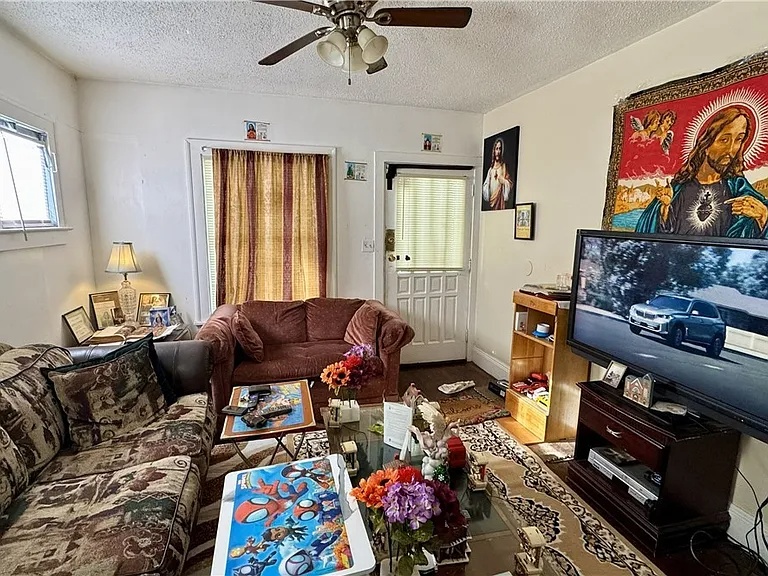
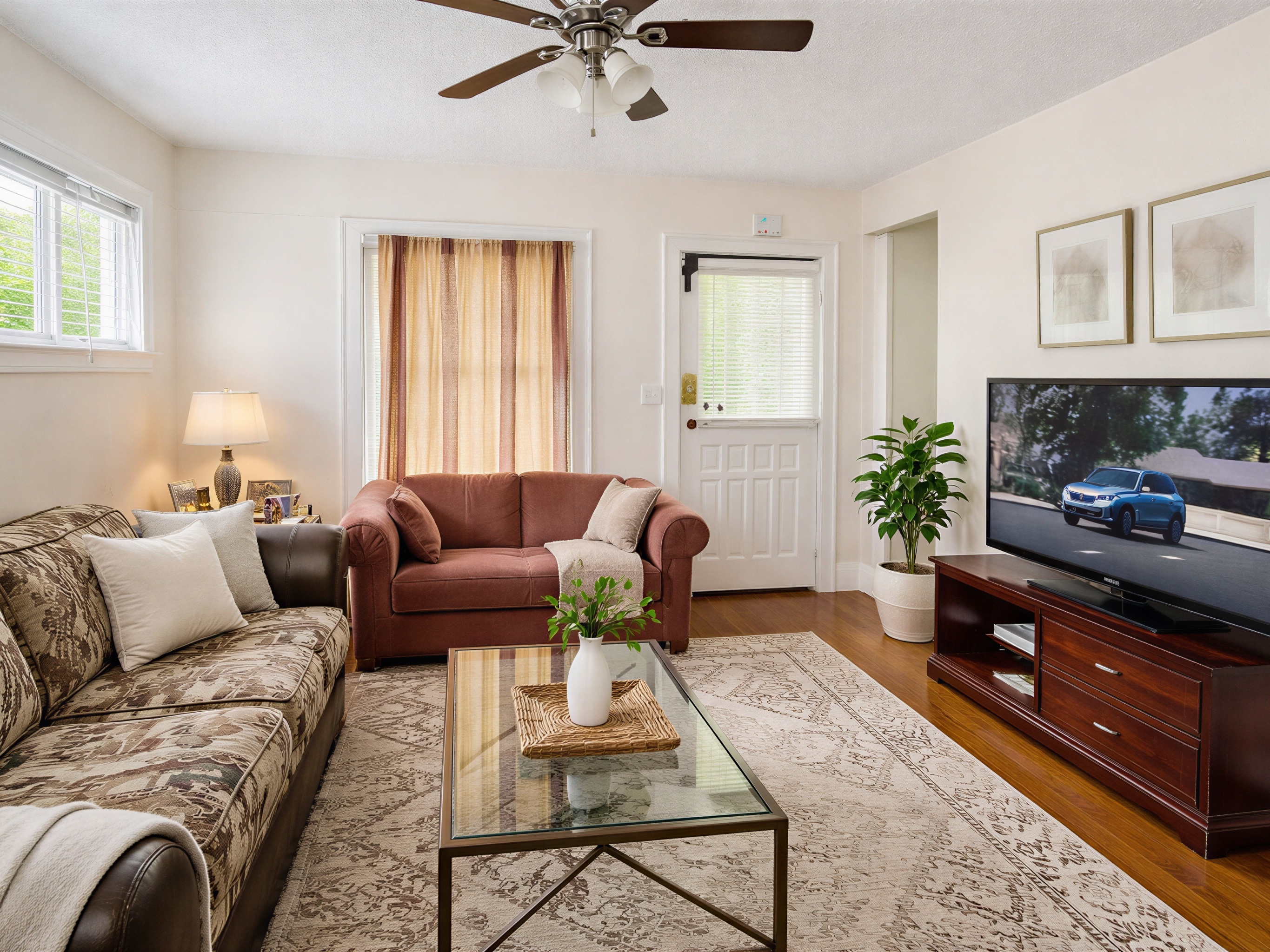
If you have a folder of HDR photos that look flat or muddy:
Open the photo in Agent Lens.
Select 5. Classic Mode.
Result: In 8-15 seconds, the AI re-lights the scene. It intelligently boosts saturation (15-25%), kills the noise in the shadows, and neutralizes those nasty color casts. It gives you the "pop" of a flash shot without setting up a single light stand.
Saving the "Occupied" Disaster
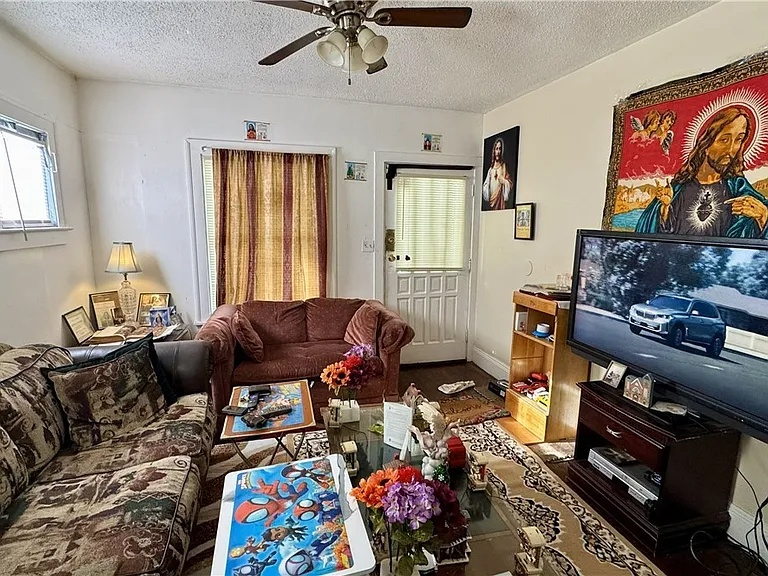
Flash cannot hide clutter. If a tenant has left shampoo bottles and dog toys everywhere:
The Old Way: Pay an editor $8-$15 per photo to clone it out.
The Agent Lens Way: Use 6. Virtual Declutter. The AI removes the mess but keeps the furniture. This allows you to market occupied homes as if they were professionally staged.
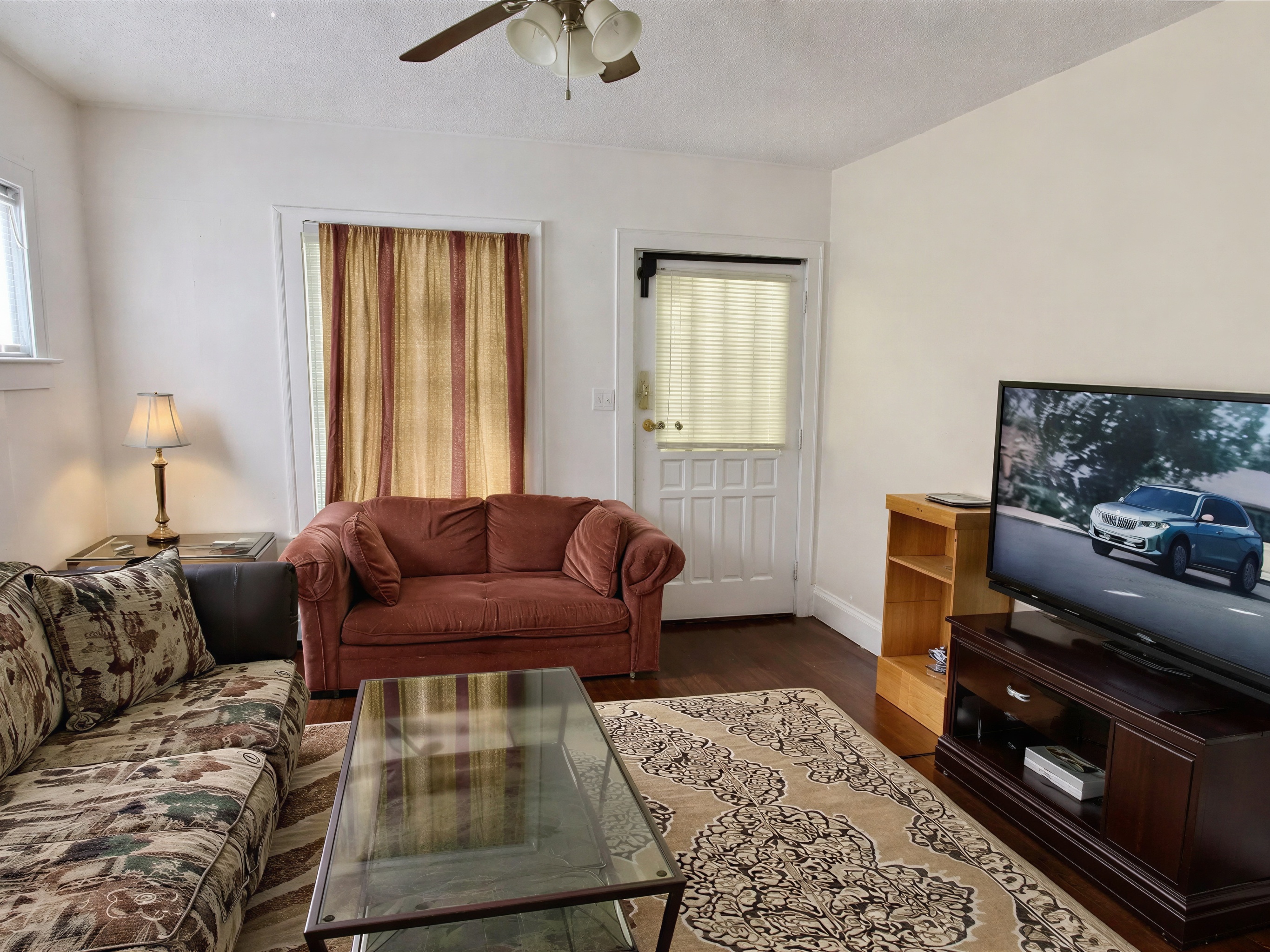
Virtual Staging Without the Wait
Physical staging costs thousands. Traditional virtual staging costs $24+ per photo and takes 24 hours.9
With Agent Lens, you can stage an empty room instantly for pennies using styles like:
Organic Modern (Japandi, earth tones)
Mid-Century Modern (Walnut woods, tapered legs)
Modern Farmhouse (Rustic, reclaimed wood)
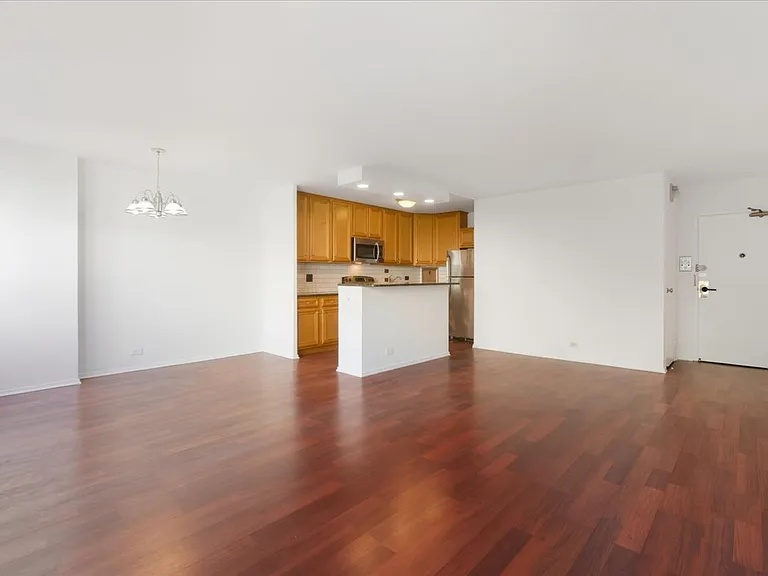
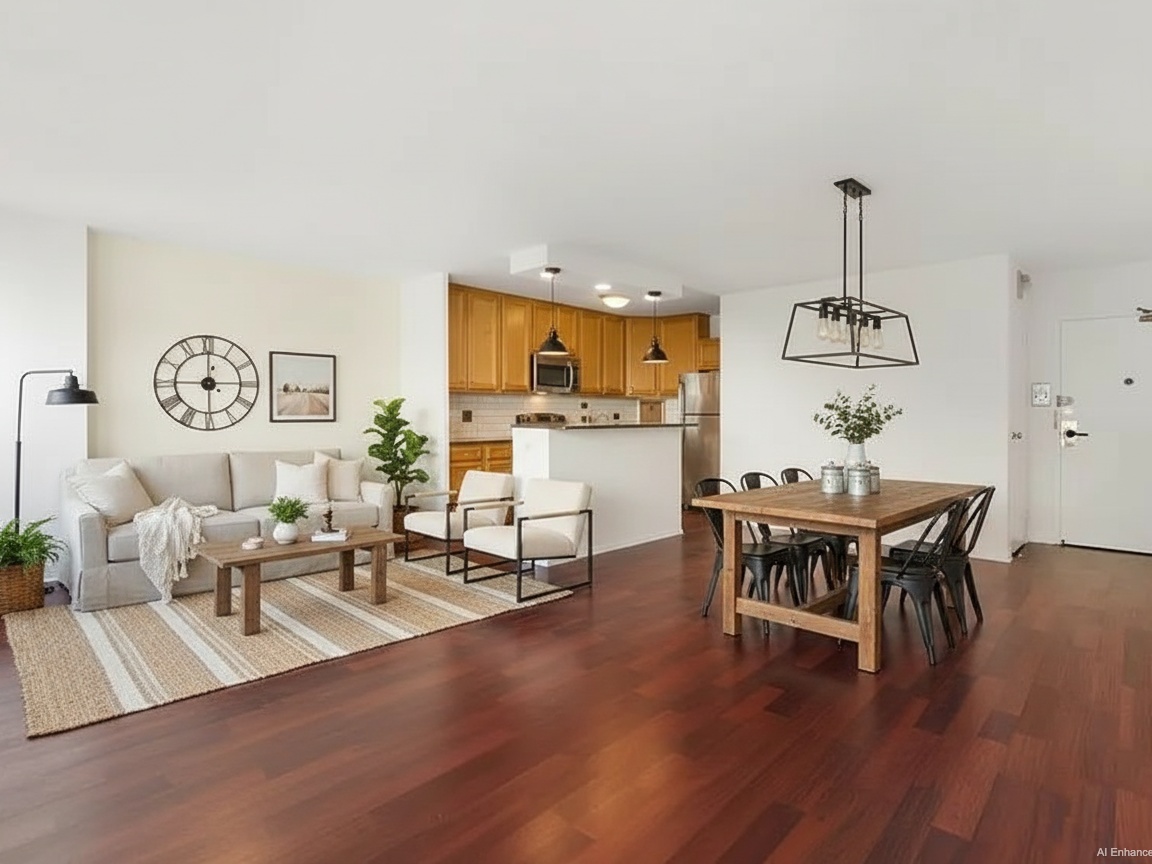
Warm Maximalism (Velvet, deep moody colors)
Cost Comparison:
Outsourced Editor: $1.60/image (24 hour wait)
Agent Lens Pro: $0.10 - $0.33/image (15 second wait)
9. Important Legal Update: 2026 Disclosure Laws
Warning: The landscape of real estate advertising is changing rapidly.
Starting January 1, 2026, California law (AB 723) requires specific disclosures when AI is used to alter real estate images.
What Counts: Removing objects (Virtual Declutter), changing walls/floors (Renovation), or adding furniture (Virtual Staging).
The Rule: You must place a "clear and conspicuous" label on the image stating it is digitally altered and provide a link/QR code to the original.
The Safe Zone: Basic enhancements—like lighting correction, color balancing, and cropping (what Agent Lens Classic Mode does)—generally do not trigger these massive disclosure requirements, as they represent the property accurately.
This makes tools like "Classic Mode" even more valuable: they improve the visual appeal without crossing the legal line into "alteration."
10. Competitor Landscape
It’s important to look at the alternatives honestly.
BoxBrownie / Phixer (Human Outsourcing)
Pros: High customization. Humans can understand complex instructions like "remove the hose but leave the pot."
Cons: Expensive ($1.60+ for basic edits, $24+ for staging).9 Inconsistent quality depending on which editor grabs your job queue.1
Behr ColorSmart / Sherwin-Williams ColorSnap
Pros: Exact paint matching.
Cons: Crashes frequently. Users report colors scanning incorrectly (beige becomes pink). Requires tedious manual masking of windows and trim.[Competitor Context]
Agent Lens fits the gap for professionals who need speed and control. We don't replace the human editor for complex architectural renderings, but for daily listings, we are 90% cheaper and 99% faster.
11. Strategic Recommendations for 2026
Who wins? It depends on the listing.
1. The "Everyday" Listing ($300k - $800k)
Shoot: HDR. Speed is key.
Edit: Run batch processing through Agent Lens Classic Mode. This fixes the color casts and lighting issues that usually plague HDR, giving you a pro look for pennies.
2. The Luxury Estate ($1M+)
Shoot: Flambient. You need the texture of flash on high-end finishes.
Edit: Use Agent Lens Virtual Staging (Warm Maximalism) to furnish the empty primary suite and "sell the lifestyle."
3. The Investor Special (Fixer-Upper)
Shoot: Fast HDR.
Edit: Use 10. Interior Renovation or 9. Kitchen Remodel to show the potential. "Virtual Flipping" helps investors see past the damage.
Conclusion: Upgrade Your Visuals Today
Stop waiting for the industry to agree on a standard. The Reddit forums will argue about "light purity" forever, but your goal isn't to win a debate—it's to sell the house.
If you are shooting multi-million dollar estates, hire a Flambient pro. For everything else, stop overpaying for manual labor that software can now handle. Use HDR for speed, use AI to fix the quality, and spend the time you save finding your next seller. The tools have evolved; make sure your workflow does too.
Ready to upgrade your marketing?
Free Real Estate Tools
Explore our free calculators and AI tools for agents:
Transform Your Listings with AI
Apply professional virtual staging and enhancements in seconds. Start transforming your listings today.
Explore Virtual Staging Options
Start with our most popular room & style combinations: