

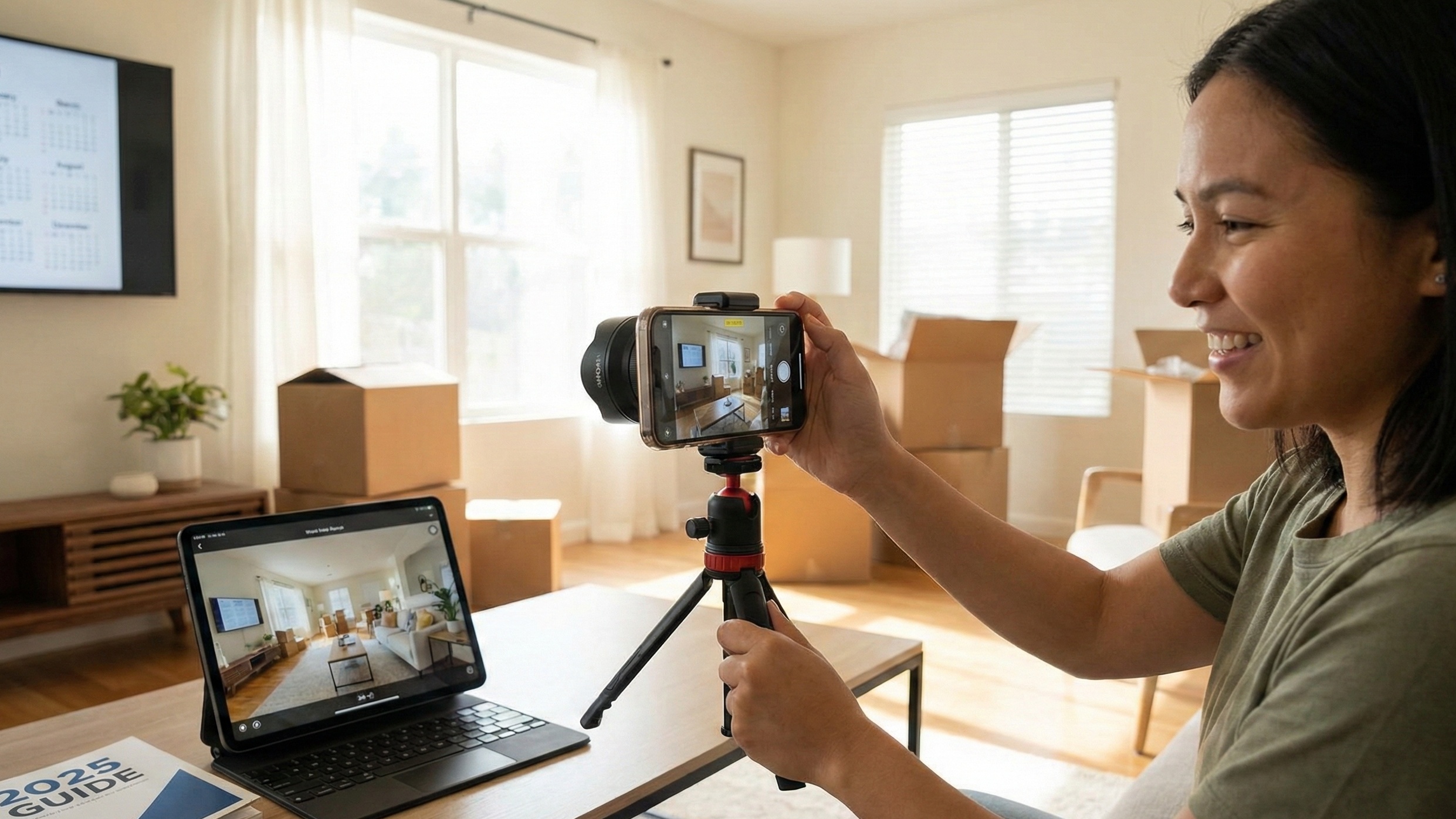
Stop overpaying for Matterport. Here is the high-impact, low-cost workflow using iPhone LiDAR, Zillow 3D Home, and AI enhancement.
Key Takeaways for Busy Agents
The Math: Zillow 3D Home tours boost views by 60% and saves by 79%, but pro scans cost $500+.
The Hardware: You don't need a $3,000 camera. An iPhone 12 Pro (or newer) with LiDAR captures professional-grade depth data if handled correctly.
The Fix: DIY tours often suffer from "seasick" drift and dark lighting. The secret is using AI tools like Agent Lens to fix the visuals instantly, rather than hiring manual editors.
A $500 Matterport scan is viable for a luxury estate, but it destroys the margin on a rental or a median-priced starter home. Yet, Zillow data confirms that listings with 3D tours get a 60% boost in views and 79% more saves.¹
The math puts agents in a bind: pay for professional scans and lose profit, or use a handheld iPhone scan and look like an amateur.
The solution lies in your pocket. The LiDAR scanner on the iPhone (Pro models 12 and newer) can produce a "good enough" 3D mesh for standard listings. The problem isn't the capture technology; it's the lighting and the "seasick" drift caused by poor technique.
This guide covers the specific workflow to capture professional-grade DIY virtual tour real estate assets for $0, and how to use AI to fix the quality gap instantly.
1. Hardware Reality: What You Actually Need
You don't need a van full of gear, but you do need stability. The "handheld" approach is where most agents fail. Even small micro-jitters ruin the stitching process, creating those ugly jagged lines in door frames.
iPhone LiDAR vs. 360 Cameras
If you have an iPhone 12 Pro through 16 Pro, you have a LiDAR scanner. It shoots infrared lasers to measure depth, helping the software stitch rooms together accurately.
Feature | iPhone (LiDAR Models) | 360 Camera (Ricoh Theta/Insta360) |
|---|---|---|
Cost | $0 (You already own it) | $400 - $1,100 |
Resolution | High (uses main lens) | Medium (often lower dynamic range) |
Speed | Slow (requires spinning) | Fast (one click) |
Stitching | Prone to drift/errors | Seamless |
Best For | Rentals, Median Homes | Luxury, High Volume |
The One Essential Accessory:
Buy a monopod with feet (approx. $30). Do not try to hold the phone. Place the monopod in the center of the room. It ensures the camera stays at a consistent height (chest level, ~5ft) and rotates on a perfect axis.
2. The Zillow 3D Home Workflow (Technical Deep Dive)
We focus on Zillow 3D Home because it’s free, unlimited, and gives you that crucial algorithmic boost.⁶
Step 1: Prep the "Set"
Cameras see everything. Open all interior doors to create flow. Open all blinds to maximize natural light. Turn on all overhead lights and lamps. This mix of light sources is critical for the sensor to expose the room correctly.
Step 2: The "Lighthouse" Technique
The most common mistake is rotating the phone around your body. This creates parallax errors (objects close to the lens shift position relative to the background).
The Fix: Rotate around the phone. Imagine the phone is a lighthouse. You walk around the monopod while keeping the phone stationary in space, rotating it on its axis. This eliminates the "broken wall" effect.
Step 3: Managing "Drift"
If you spin too fast, the phone’s IMU (Inertial Measurement Unit) desynchronizes from the camera feed.
The Fix: Slow down. If you see the room tilting in the preview, stop. Recalibrate (do the figure-8 motion) and restart the room. A tilted tour is unusable.
3. The "Salmon Pink" Wall & Other DIY Disasters
You captured the tour. You uploaded it. Now you look at the still photos Zillow generates. They look terrible.
The Physics of Bad Color: Smartphones struggle with mixed lighting. You have "Cool Blue" daylight (5600K) coming from the window and "Soft White" bulbs (2700K) inside. The camera tries to average them and fails, often turning neutral gray walls a sickly salmon pink or orange.
The Clutter Issue: Since you are shooting 360 degrees, you couldn't hide the tenant's laundry basket behind the camera. It’s in the shot.
The Old Solution: Historically, you would send these stills to a manual editor, pay $1.60-$5.00 per image, and wait 24 hours. In 2026, that workflow is too slow.
4. The Hybrid Workflow: Fix It with Agent Lens
This creates a bottleneck. To fix the lighting without waiting 48 hours for a vendor, use a browser-based AI editor like Agent Lens. It allows you to extract stills from your tour (or take separate photos while onsite) and correct them instantly.
Want to test this? Agent Lens offers 3 free credits on signup—no credit card required. (https://aistage.pro)
Here is how to salvage DIY photos using specific Agent Lens modes:
Fix the "Salmon Pink" Walls
Don't upload dark, color-casted photos to the MLS.
Use Mode 5: Classic Mode
This applies a "Universal photo enhancement." It corrects the white balance (neutralizing that pink tint), boosts brightness in dark corners, and adds a 15-25% saturation boost to make the image pop. It’s your "digital darkroom" in one click.Remove the Tenant's Mess
If the living room was cluttered with toys or boxes:
Use Mode 6: Virtual Declutter
This removes personal items (mess, boxes, toys) but keeps the major furniture. It allows buyers to see the floor space, not the current resident's lifestyle.
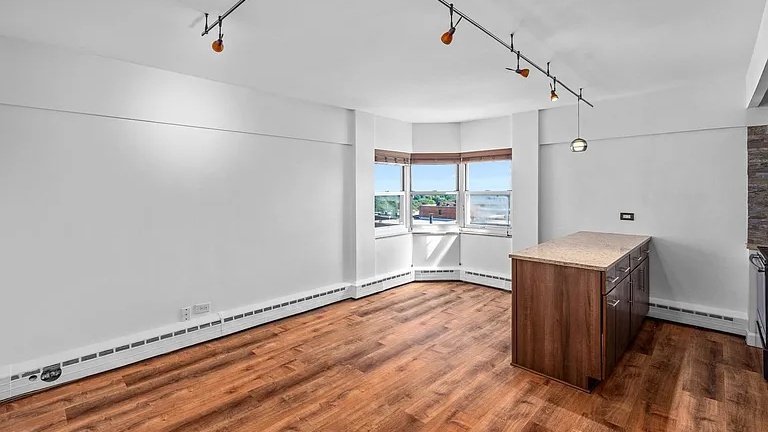
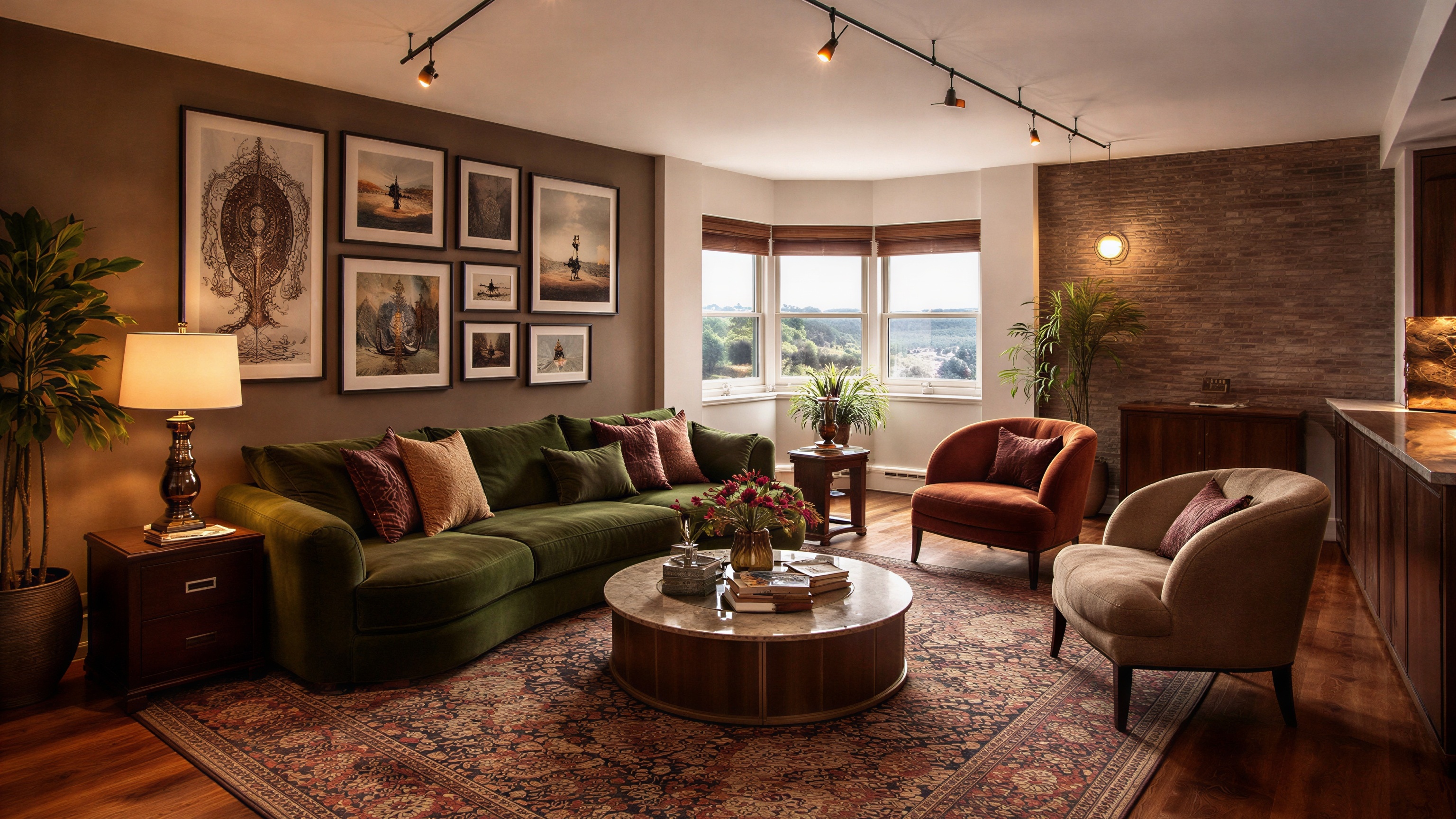
Stage the Empty Rooms
Empty rooms feel small. Physical staging costs $2,000+. Use Virtual Staging to pick a vibe that fits the architecture:
Organic Modern: Use this for city condos. Think earth tones, linen, and "Japandi" vibes.
Mid-Century Modern: Perfect for 1950s-70s ranches. Walnut woods and tapered legs.
Modern Farmhouse: The safe bet for suburban family homes. Rustic woods and comfortable textures.
Warm Maximalism: Use this for unique or historic properties that need Moody luxury (deep greens, velvets).
5. Competitor Analysis: Why Apps & Vendors Fail
You might be tempted to use free paint visualizers or cheap manual editors. Here is why pros avoid them.
The "Paint App" Trap
Behr ColorSmart: Known for sensor drift. Users report it consistently scans gray walls as "salmon pink" or fails to launch the camera entirely.⁷
Benjamin Moore Personal Color Viewer: Requires you to "paint" the wall with your finger (manual masking). It is tedious, often inaccurate ("Too stupid to select wall vs trim"), and results look like a cartoon.⁸
Sherwin-Williams ColorSnap: Great concept, but the physical "Match Pro" device frequently fails to connect via Bluetooth, leaving you troubleshooting in front of clients.⁹
The Outsourcing Trap (BoxBrownie)
BoxBrownie is reliable but slow.
Cost: Virtual Staging is $24.00 per image.¹⁰
Time: 24-48 hours turnaround.
Comparison: With Agent Lens, you pay $0.10-$0.33 per image and get results in 8-15 seconds. You can generate three different design options for a client in the time it takes to write a BoxBrownie email.
6. Advanced Moves: Virtual Renovation
Sometimes a tour isn't enough because the house itself is the problem. If the kitchen is dated, a 360 tour just lets buyers look at ugly cabinets from every angle.
Use these Agent Lens modes to sell the potential:
Mode 9 (Kitchen Remodel): Snap a photo of the kitchen. This mode replaces laminate counters with quartz and paints dated oak cabinets while keeping the layout identical.
Mode 11 (Exterior Makeover): If the curb appeal is weak, this mode repaints the facade and updates the landscaping.
Pro Tip: 2026 Color Strategy
When using these modes, don't guess. "Agreeable Gray" is out.
Exterior: Prompt for "Sage Green" or "Warm Bronze" (like Sherwin-Williams Urbane Bronze).
Interior: Prompt for "Warm White" (like Greek Villa) rather than stark white.
7. Cost & Speed Comparison
Strategy | Cost Per Listing | Time to Market | Visual Quality |
|---|---|---|---|
Full Pro (Matterport + Staging) | $1,500 - $3,000 | 7-10 Days | High |
Manual Outsourcing (BoxBrownie) | $150+ | 2-3 Days | Medium |
DIY Hybrid (iPhone + Agent Lens) | **$0 - $29** | Same Day | High |
Conclusion
The era of outsourcing every visual asset is over. The technology has become too fast and too cheap to ignore. By combining the algorithmic boost of Zillow’s native app with the post-processing speed of Agent Lens, you can launch a "Showcase-quality" listing in hours, not days.
Don't overthink the hardware. Grab your phone, turn on all the lights, and scan your next listing yourself. The market rewards speed; go get it.
Free Real Estate Tools
Explore our free calculators and AI tools for agents:
Transform Your Listings with AI
Apply professional virtual staging and enhancements in seconds. Start transforming your listings today.
Explore Virtual Staging Options
Start with our most popular room & style combinations: