


January 1, 2026. Mark that date.
That is the day your "enhanced" listing photos stop being clever marketing and start becoming a $2,500 liability.
California’s Assembly Bill 723 (AB 723) isn't just a suggestion—it is the biggest crackdown on real estate advertising in twenty years. For the last decade, we’ve used AI to erase cracks in driveways, turn gloomy skies blue, and digitally swap dated carpet for hardwood. It worked, but it also created an "imagination gap" that lawmakers are now closing shut.
Here is the problem: When a buyer drives two hours to see a home that looks nothing like the photos, they aren't just annoyed—they feel defrauded. And under this new law, if you are using legacy tools or cheap offshore editors who don't understand California compliance, you are walking into a minefield.
This guide breaks down exactly what the new law demands, why "puffery" won't save you in court, and how to use tools like Agent Lens to keep your listings compliant without killing your click-through rate.
1. The New Rules of the Road (AB 723 Explained)
Effective January 1, 2026, AB 723 adds Section 10140.8 to the Business and Professions Code. It targets "digitally altered images" in real estate advertising.
The law is blunt. If you change the condition of the property using AI or photo editing software, you must disclose it.
What Counts as "Digitally Altered"?
The law defines this broadly. It covers any edit that adds, removes, or changes elements of the property, including:
Furniture & Décor: Adding sofas, rugs, or art (Virtual Staging).
Surfaces: Changing wall paint, flooring, or kitchen cabinets.
Landscaping: Turning brown grass green or adding digital plants.
The Neighborhood: Removing power lines, street lamps, or neighboring eyesores.
Crucial Exception: You can still adjust lighting, white balance, and exposure. If you are just using Agent Lens’s "Classic Mode" to brighten a dark room or color-correct a photo, you are safe. That is considered photography, not alteration.
The "Double Disclosure" Mandate
You can no longer just hide a tiny disclaimer in the bottom footer of your website. AB 723 requires two specific things for every altered image:
The Tag: A "reasonably conspicuous" statement on or next to the image (e.g., "Virtually Staged" or "Digitally Altered").
The Proof: You must provide access to the unaltered original image.
Online: You must post the original photo alongside the staged one.
Print: You must include a link or QR code that leads directly to the original photo.
2. The Stakes: Why You Can’t Ignore This
If you think this is just another regulation you can fly under the radar on, think again. The penalties are designed to hurt.
The Financial Hit
Local MLS boards and the Department of Real Estate (DRE) are gearing up to enforce this.
$2,500 Per Citation: The DRE can issue citations of up to $2,500 for advertising violations. If you have 20 listings with non-compliant photos, do the math.
The "Salmon Pink" Lawsuit Risk
Beyond fines, you face civil liability. If a buyer waives an inspection because your photos showed a pristine roof that was actually digital, you are on the hook for intentional misrepresentation.
This is where bad tech gets you in trouble. Legacy apps like Behr ColorSmart are notorious for poor color rendering. Users report that neutral grays often scan as "salmon pink". If you market a "virtual renovation" using inaccurate colors, you are misrepresenting the material facts of the home.
3. The Competitor Graveyard: Why Old Tools Fail
Most agents are currently using one of two methods for staging. Both have serious flaws under the new law.
The "Offshore Manual" Model (e.g., BoxBrownie)
You send photos away and wait 24-48 hours.
The Compliance Gap: They send you back a single, pretty JPEG. They don't give you the side-by-side comparison or the QR code required by AB 723. You have to build that compliance layer yourself.
Quality Roulette: User reviews complain about jobs that come back "severely rushed and botched," often requiring days of revisions.
The "DIY App" Model (e.g., Sherwin-Williams, Benjamin Moore)
You try to do it yourself on a phone app.
The Usability Nightmare: The Benjamin Moore Color Portfolio app is frequently criticized for being "too stupid to select wall vs trim," forcing you to manually color inside the lines with your finger.
Connectivity Issues: The Sherwin-Williams ColorSnap Match Pro device has widely reported connectivity failures, leaving you standing in a client's living room unable to pair your device.
4. How to Compliance-Proof Your Listings (The Agent Lens Workflow)
This is where Agent Lens changes the game. It is a Chrome extension that lives in your browser, allowing you to edit photos instantly while handling the legal heavy lifting for you.
Here is a simple 3-step workflow to stage a home, impress sellers, and stay 100% legal.
Step 1: The "Clean" Slate (The Evidence)
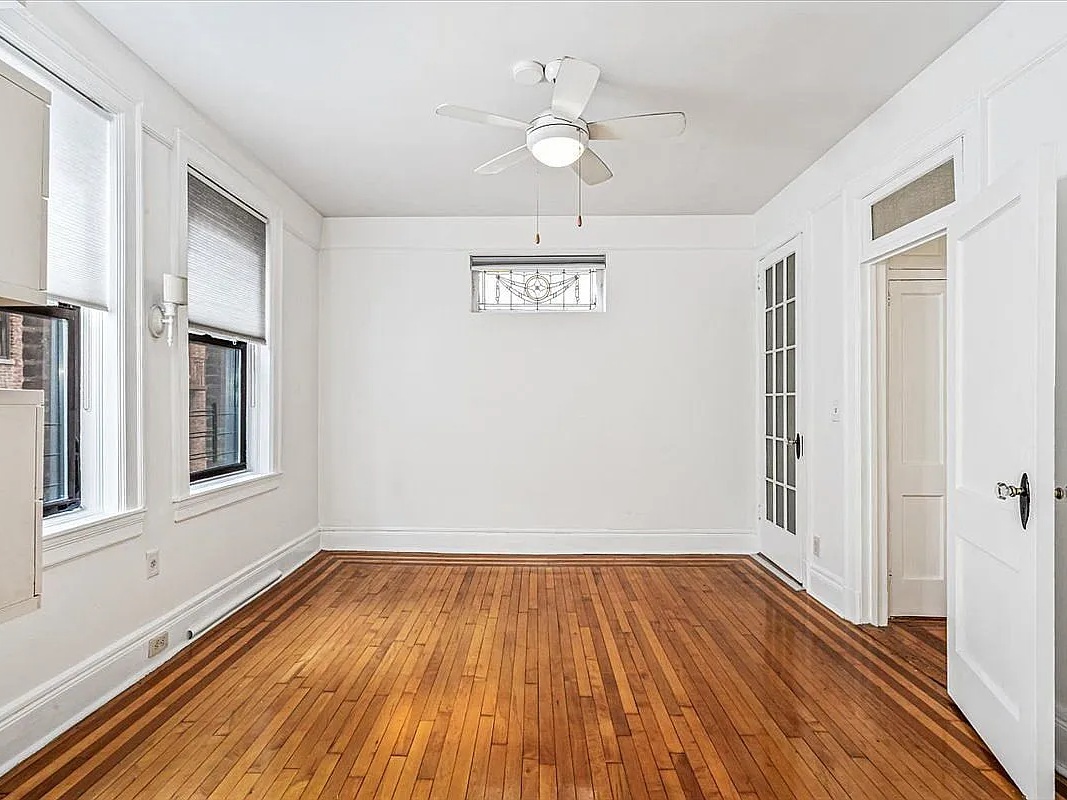
Before you stage, you often need to clean. Use Magic Eraser - Empty Room to remove the seller’s clutter—old recliners, cat trees, and boxes.
Compliance Action: Save this "Empty" image. This is your Unaltered Original (or close to it) that satisfies the AB 723 requirement for the "Before" shot.
Step 2: The "Vision" (The Marketing)
Now, apply a style that fits the home's architecture. Don't guess; use the right mode for the right buyer.
Mode Name | Best For... | Aesthetic Style |
|---|---|---|
Organic Modern | Condos & Apartments | Minimalist, earth tones, boucle fabrics, linen. Makes small spaces feel huge. |
Mid-Century Modern | 1950s-70s Ranches | Walnut woods, tapered legs, retro silhouettes. |
Modern Farmhouse | Suburban Family Homes | Rustic charm, "Fixer Upper" vibes, matte black accents. |
Warm Maximalism | Luxury / Dens | Moody deep colors (olive, burgundy), velvet textures. |
Kitchen Remodel | Dated Kitchens | Virtual Renovation: Swaps tile for quartz, repaints cabinets. High Disclosure Requirement. |
Exterior Makeover | Curb Appeal | Virtual Renovation: Full facade repaint & landscaping. |

Step 3: The Export (The Safety Net)
This is the most important step. When you export from Agent Lens, do not just download the pretty picture.
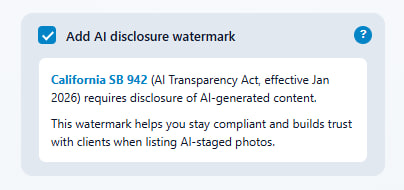
Auto-Watermark: Check the box "Add AI disclosure watermark". Agent Lens automatically applies the disclosure required by the California AI Transparency Act (SB 942). This technical layer supports your compliance with the AB 723 real estate disclosure rules, ensuring your images are future-proofed against both laws.
Side-by-Side Generation: Select the "Comparison View" option. Agent Lens will stitch your Step 1 (Original) and Step 2 (Staged) images together into a single file.
Why this wins: You can upload this single side-by-side image to the MLS. It satisfies the requirement to show the original and the alteration immediately. No broken links, no missing QR codes, no fines.
Want to test this workflow? Agent Lens offers 3 free credits on signup—no credit card required.
5. 2026 Trend Watch: What to Stage
Compliance keeps you safe; trends get you paid. In 2026, buyers are tired of "Flipper Gray."
1. The "Sage Green" Takeover
Exterior trends are shifting to nature-inspired tones. Sage Green is predicted to be the dominant exterior color for 2026.
Action: Use Exterior Makeover mode to show a tired beige stucco home in fresh Sage Green with white trim.
2. The End of the Open Plan?
Buyers are looking for "Warm Maximalism" and distinct spaces. The "Dirty Kitchen" phenomenon (where open plans put your dirty dishes on display) is a real pain point.
Action: Use Virtual Declutter to show messy, tenant-occupied kitchens as serene, organized spaces.
The Bottom Line
AB 723 isn't a death sentence for virtual staging; it’s a quality control filter.
The agents who continue to use sloppy, deceptive edits will get fined and sued. The agents who pivot to transparency—using "Before & After" sliders and compliant tools like Agent Lens—will build trust faster than their competitors.
Don't hide the reality of the home. Use AI to show the potential, clearly label it, and let the buyer dream safely. That is how you win in 2026.
Ready to upgrade your marketing?
Install Agent Lens Extension – Get 3 Free Credits
Free Real Estate Tools
Explore our free calculators and AI tools for agents:
Transform Your Listings with AI
Apply professional virtual staging and enhancements in seconds. Start transforming your listings today.
Explore Virtual Staging Options
Start with our most popular room & style combinations: